
To help your transfer go smoothly, it’s important to enter your account number exactly as it appears at your current provider.
Even small differences—like missing digits or formatting—can cause delays or rejections.
Below are step-by-step instructions for locating your account number at common financial institutions. If you’re unsure, you can also check a recent account statement or contact your provider directly to confirm.
Vanguard
Web
- Log in to your account
- From the left-hand menu, select My profile
- Go to the Product tab
- Locate your account number for each product
- Account numbers are typically 8–10 digits
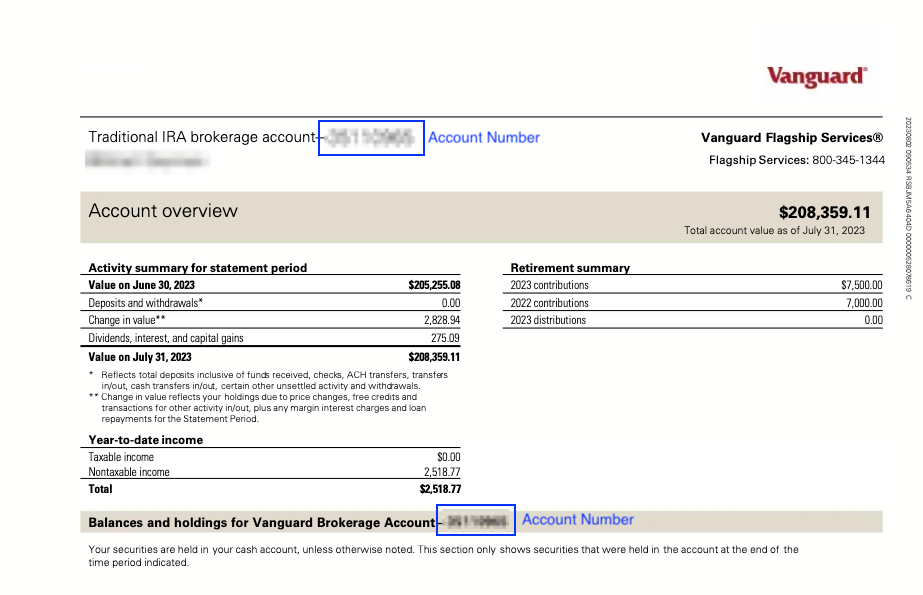
Statement
Your account number is listed on your statement (see screenshot).
Charles Schwab
Web
- Log in at Schwab
- Under Accounts, select the account you want to transfer
- Your account number appears in the top left-hand corner
- Format example: 1234-5678
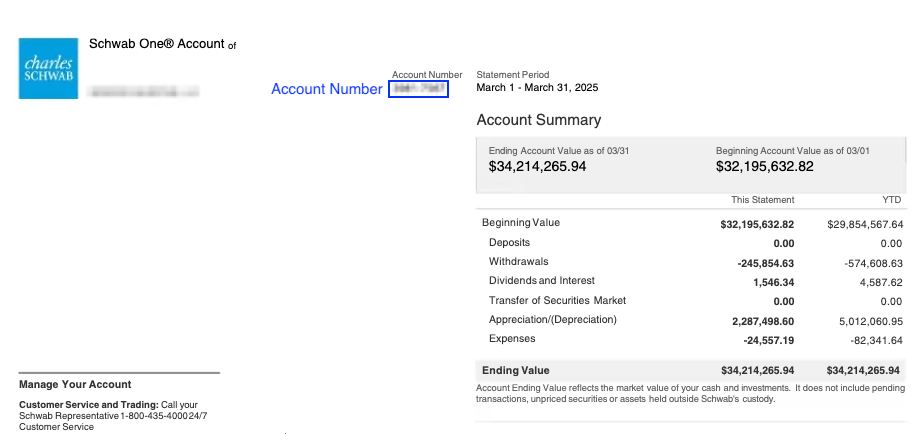
Statement
Your account number appears on your statement (see screenshot).
Fidelity Investments
Mobile app
- Open the Fidelity app
- Go to Home
- Scroll to the Accounts section
- Locate your account number
- Format example: 123-456789
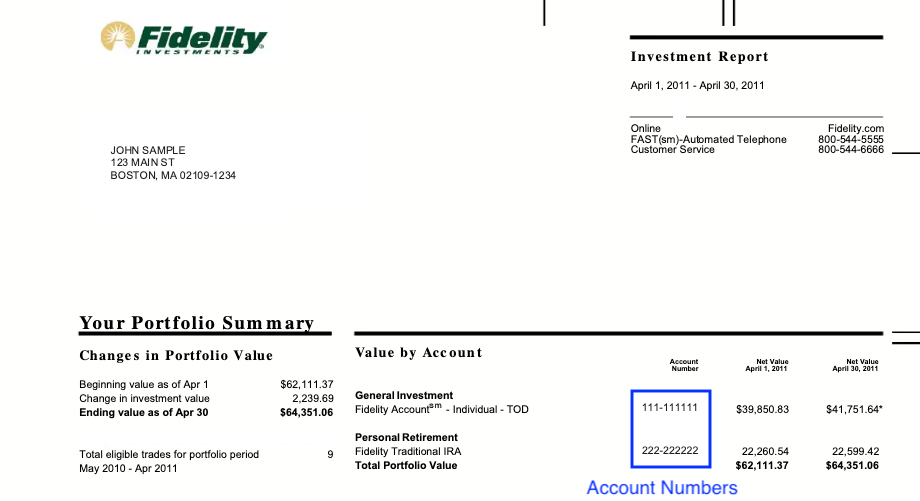
Statement
Your account number is shown on your statement (see screenshot).
JPMorgan Chase
Web (Chase)
- Log in at Chase
- Scroll to the account you want to transfer
- Click See full account number
- Your full J.P. Morgan account number will display
- Format example: 123-45678
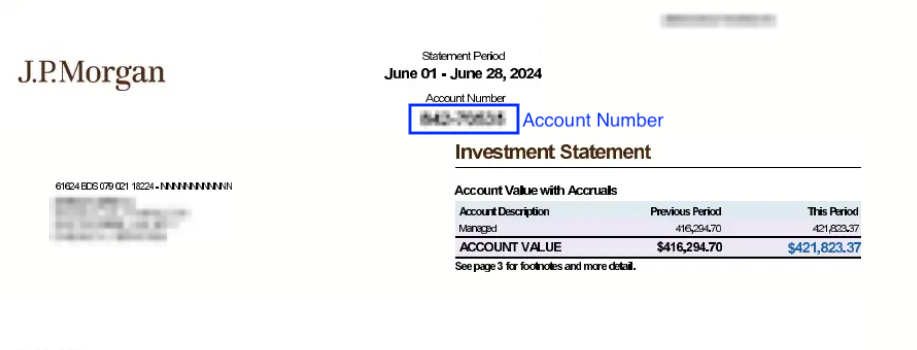
Statement
Your account number appears on your statement (see screenshot).
Wealthfront
Web
- Log in to your account
- Click your name in the top right corner
- Select Settings
- In the left menu, go to My Accounts
- Select the account you want to transfer
- Find your account number under Account Details
- Format example: 8W123456
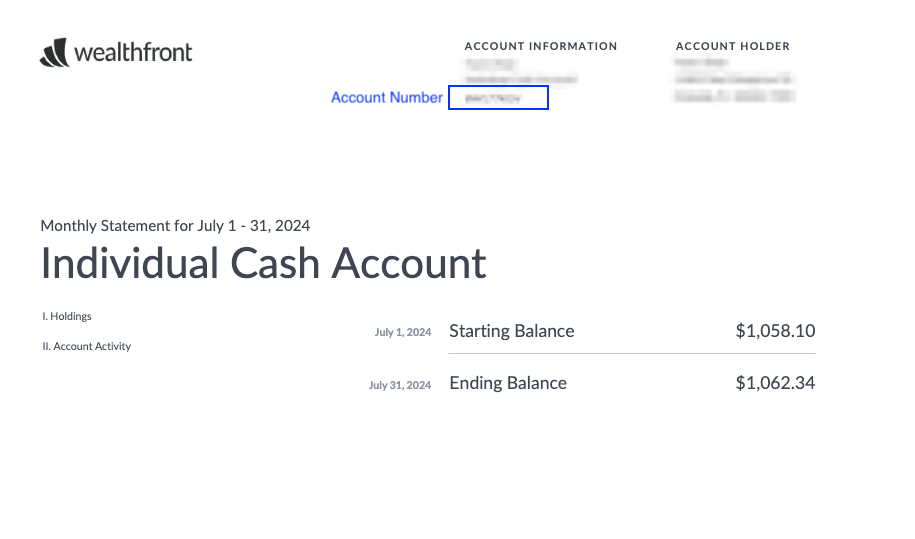
Statement
Your account number appears on your statement (see screenshot).
Robinhood
Mobile app
- Open the Robinhood app
- Tap the Profile icon (bottom right)
- Tap the Menu icon (top left)
- Scroll down and tap Show numbers
- Format example: 123456789
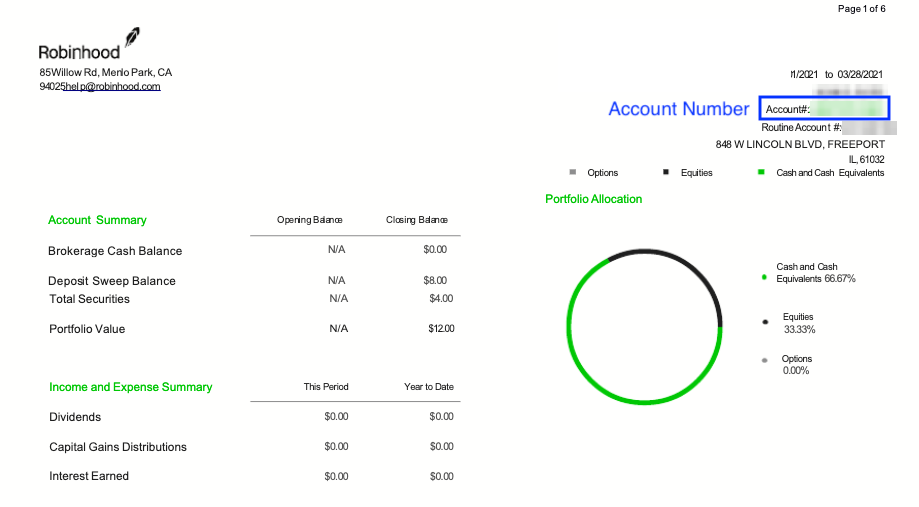
Statement
Your account number appears on your statement (see screenshot).
Webull
Mobile app
- Open the Webull app and log in
- Tap Account (bottom middle)
- Your account number appears under your account type
- Account numbers will always start with a 5 or C
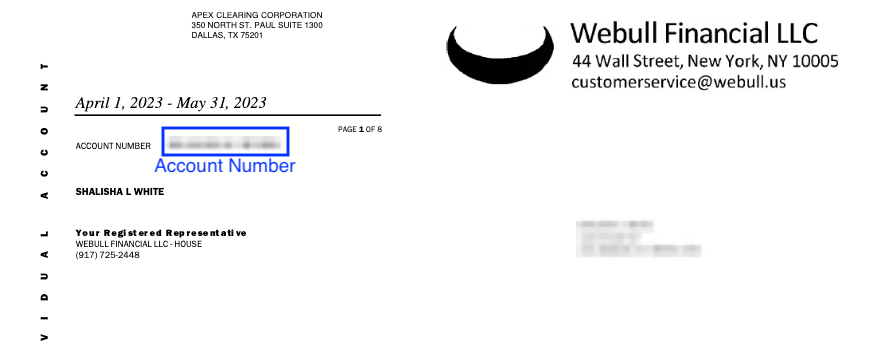
Statement
Your account number appears on your statement (see screenshot).
Goldman Sachs
Mobile app
- Open the Goldman Sachs app and log in
- Navigate to the Account Details or Profile section
- Account numbers are typically 12 digits
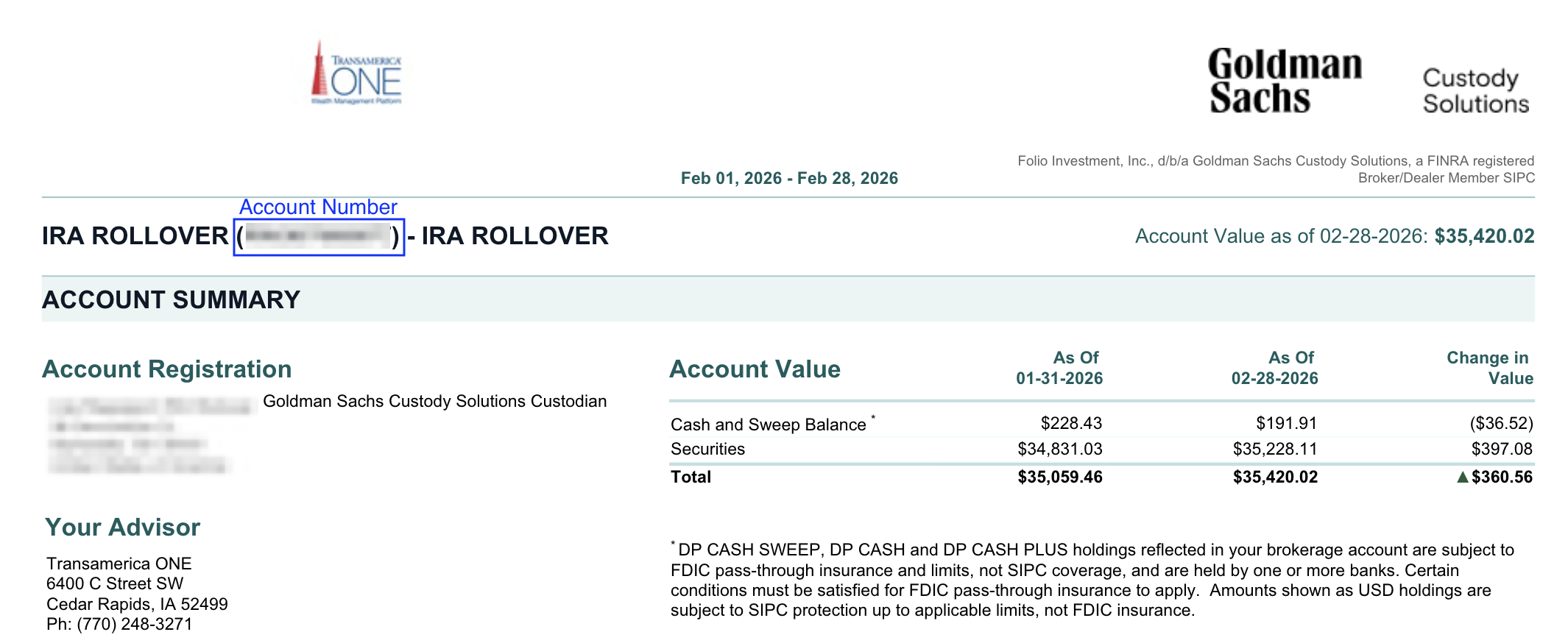
Statement
Your account number also appears on your statement; however statements differ depending on the product (private wealth, asset management, funds, etc). (see screenshot)
Still not seeing it?
If you’re having trouble locating your account number:
- Check a recent account statement
- Search your provider’s Help Center
- Contact their support team to confirm
Taking a moment to verify your account number before submitting your transfer request can help avoid unnecessary delays.