Betterment Editors
Meet our writer
Betterment Editors
Betterment’s editorial team draws on decades of combined experience to bring you clear, practical points of view on personal finance, investing, and long-term wealth. Together, we demystify money decisions, help you size up options, and share the knowledge needed to build wealth with confidence and ease.

Articles by Betterment Editors
-
How to set up the Greenboard integration
How to set up the Greenboard integration Jun 3, 2026 10:28:15 AM Greenboard is the next-generation AI-native system of action for SEC and FINRA compliance. It unifies electronic communications archiving, code of ethics compliance, compliance calendar, marketing reviews, and vendor diligence into one intuitive AI-powered platform to automate more than was previously possible. Advisors can connect their client data to Greenboard through Betterment’s data feed to ByAllAccounts. This feed is enabled at the firm level. The information sent through the ByAllAccounts feed includes: Account information Positions Transactions Tax lots Enabling the integration Firm admins can set up this integration for your entire firm by taking the following steps: Log in to the Betterment advisor dashboard and navigate to Settings > Integrations. Select Morningstar from the list and click Connect to Morningstar ByAllAccounts. You will see confirmation that the integration has been enabled. Data for your entire firm will be sent to ByAllAccounts within one business day. ByAllAccounts will confirm data has been successfully added to the feed, authorize user access, and email the feed password to the address provided. Email support@bettermentadvisorsolutions.com and ask for your Firm ID and Advisor ID for ByAllAccounts. Share the ByAllAccounts credentials (Firm ID and Advisor ID) with support@greenboard.com and Greenboard will finalize the connection. For more information on how to use this integration in Greenboard, see this help article. -
An advisor’s guide to the benefits of solo 401(k)s
An advisor’s guide to the benefits of solo 401(k)s May 21, 2026 12:15:00 PM As you work with self-employed clients, here are five big reasons why a solo 401(k) may be right for them (and your firm). A solo 401(k) might just be the biggest retirement savings growth hack for your self-employed clients — and you can help them navigate it. As more people shift toward freelance work, consulting, and small business ownership, RIAs are increasingly asked about retirement planning by clients who don’t fit the traditional W-2 profile. Enter the solo 401(k): A lesser-known retirement account that just might be the ultimate savings vehicle for self-employed clients of RIAs. However, many advisors overlook the solo 401(k) or assume it’s too complex. In reality, it can be a straightforward, flexible, and powerful option for those who have no full-time employees beyond themselves (and possibly a spouse). The basics: What exactly is a solo 401(k)? A solo 401(k) is a one-participant 401(k) plan for self-employed individuals of owner-only businesses. It works similarly to a standard 401(k)—with employee and employer contribution components—but is designed specifically for businesses that do not have full-time employees other than a spouse. It’s different from SEP IRAs (which only allow employer contributions) and SIMPLE IRAs (with lower contribution limits). For many advisors (and their clients) who are less familiar with solo 401(k)s, two misconceptions commonly get in the way of using one for savings: “Solo 401(k)s are too complicated.” Some solo 401(k) providers (like Betterment Advisor Solutions) offer streamlined setup and modern digital account management. This makes it simple to manage. Once the plan is established, annual maintenance is often minimal—though advisors and participants should be mindful of certain administrative requirements, such as filing Form 5500 once the plan balance exceeds $250,000. “They’re only for high-income earners.” Contribution limits are high (we’ll cover more on that in a minute), but that doesn’t mean a lower-income entrepreneur can’t benefit. Contributions are flexible each year, so clients can scale up or down depending on business performance. Solo 401(k)s are really a simple way for self-employed individuals to save for retirement. And, they offer some added financial benefits that savers can’t get through other plans. Top 5 benefits of solo 401(k)s for your clients As you work with self-employed clients, here are five big reasons why a solo 401(k) may be right for them (and your firm). Benefit 1: solo 401(k)s are tailored for solo entrepreneurs Sole proprietors, consultants, and gig workers have unique needs. They’re juggling business expenses, unpredictable income streams, and personal financial goals. A solo 401(k) allows them to save aggressively in profitable years, and dial back contributions if cash flow tightens. Solo 401(k)s also have the added benefit of allowing spousal contributions. If a spouse is also on the payroll, he or she can contribute just like the primary business owner. This effectively doubles the family’s retirement savings potential and can significantly reduce household taxable income if making pre-tax contributions. What does this mean for advisors? More opportunity. The rise of online platforms, remote work, and freelance marketplaces means self-employment is only becoming more popular. In fact, conservative figures estimate that there are 16 million self-employed Americans. By offering guidance on solo 401(k)s, you can expand your practice to a growing client segment that often has questions about retirement planning but limited employer-sponsored options. Your firm can offer an opportunity they may not have realized they had. Benefit 2: High contribution limits One of the biggest draws of the solo 401(k) is the dual role contribution approach: Employee contribution: In 2025, individuals can contribute up to 100% of compensation or $23,500 (or $31,000 if age 50 or over). Employer contribution: As the business owner, they can also contribute up to 25% of net self-employment income (20% for sole proprietors/partnerships). Total contributions to a participant’s account, not counting catch-up contributions for those age 50 and over, cannot exceed $70,000 for tax year 2025. Combined, dual-role contributions can lead to substantially larger total contributions than are available through SEP IRAs or SIMPLE IRAs. For instance, a SEP IRA lacks the employee deferral option, so having both an employee and employer bucket in a solo 401(k) can help maximize tax-advantaged savings. Benefit 3: Tax advantages The tax benefits are very real when it comes to solo 401(k)s. By helping clients understand these benefits, you can have a significant impact on their tax burden, both now and in retirement. Pre-tax contributions: Similar to a traditional 401(k), clients who want immediate tax relief can fund their solo 401(k) with pre-tax dollars, reducing their current taxable income. This is particularly appealing to self-employed individuals, looking to lower their overall tax burden in years of high income. Roth contributions: Many solo 401(k) providers now allow Roth contributions. This means after-tax money goes in, but withdrawals in retirement are generally tax free. Offering both pre-tax and Roth options gives clients flexibility in managing their present and future tax situations. SECURE 2.0 Automatic Enrollment Tax Credit: Many miss this one, but under the SECURE 2.0 Act, if an eligible solo 401(k) adds an auto-enrollment feature to their plan, they can claim a tax credit of $500 per year for 3 years. Benefit 4: No income restrictions on contributions Unlike Roth IRAs, which have strict income limits, solo 401(k)s do not cap your ability to make Roth contributions based on income. High earners who would be locked out of a Roth IRA can still enjoy the potential for tax-free growth through a Roth solo 401(k). And let’s not forget about catch-up contributions: For clients over 50, an additional $7,500 (as of 2024) can be contributed to the employee deferral portion. This “catch-up” feature allows those who got a late start on saving to accelerate their retirement funding. Benefit 5: Prior year contributions for new plans The SECURE Act 2.0 introduced a key benefit for solo 401(k) plans: Business owners can establish a solo 401(k) by the previous year's tax filing deadline (including extensions). Employer contributions for the prior calendar year can be made up until the business’s tax filing deadline. Example: How prior contributions work If your client sets up a new solo 401(k) in March 2024, it can still count as a 2023 plan. Your client can make 2023 employer contributions until April 15, 2024 (or October 15 if they file an extension). This is a powerful opportunity for clients to catch up on retirement savings they might have overlooked during a busy year. Adding value: The advisor's role in a client’s solo 401(k) Although solo 401(k)s can be self-directed by a client, you have an opportunity to add value by guiding your client to the right plan for their overall retirement needs. Here are four ways your firm can help clients navigate solo 401(k)s: Contribution strategy: Help clients determine whether pre-tax or Roth contributions (or a mix) best suit their goals. Timing contributions strategically—especially near tax deadlines—can optimize tax savings and cash flow. Investment guidance: solo 401(k)s often offer a wide range of investment options. Advisors can provide asset allocation and diversification strategies based on each client’s risk tolerance and timeline. IRS rules and compliance: While solo 401(k)s are relatively straightforward, there are filing requirements (e.g., Form 5500 for account balances above $250,000) and rules about loans from the plan. Advisors can help keep clients on track. Long-term retirement planning: A solo 401(k) should be one part of a holistic retirement strategy. Advisors can integrate Social Security planning, insurance, and estate considerations to round out a client’s financial picture. Tips for getting started: Choosing a solo 401(k) provider When recommending or setting up a plan for your clients, look for a provider that offers straightforward pricing, an intuitive digital experience, and proven knowledge in compliance and recordkeeping. Also, consider the breadth of services a provider offers. Some providers also offer tools for RIAs, like custodial services or portfolio management, which can streamline your overall practice management. Introducing the Betterment solo 401(k) The Betterment solo 401(k) integrates smoothly with our all-in-one custodial platform purpose-built for independent RIAs. Modern, digital-first experience: Simplify plan set-up and ongoing management with a 100% digital process. We eliminate the administrative burden traditionally associated with solo 401(k)s by digitally opening and funding accounts with no paperwork required. Seamless ongoing management: We provide compliance support for your firm with no need to manually track contributions. Cost-effective plans: Minimize costs while maximizing savings potential for your self-employed clients. Give clients access to low-cost investments paired with the high contribution limits of a solo 401(k). Plus, clients can include spouses at no additional cost. Roth solo 401(k) option: Give your clients the flexibility to optimize their taxes by using a traditional solo 401(k) or a Roth, whatever is best for their situation. -
How to set up the Slant integration
How to set up the Slant integration May 12, 2026 5:06:06 PM Overview Slant is an AI-native CRM for financial advisors. Slant replaces an advisor’s legacy CRM, AI notetaker, data enrichment tools, and third-party project management software—putting everything in one place. Built with AI from the ground up, Slant helps advisors chat with client records, build powerful AI workflows, and surface what needs attention, so advisors can spend less time updating the CRM and more time moving client relationships forward. The information sent to Slant includes: Account information Positions Transactions Tax lots Enabling the integration You can set up this integration for your firm by taking the following steps: Log in to your advisor dashboard and navigate to Settings > Integrations. Select Slant from the list and click Connect to Slant. You will see confirmation that the integration has been enabled. Data will be sent to Slant within one business day. Once the data feed is enabled on the Betterment side, you can complete setup in Slant by following these steps: Log in to your advisor dashboard in Slant and navigate to Settings > Custodians. Add the necessary Betterment advisor codes for your firm. You will see confirmation in Slant that the integration has been enabled and custodial data from Betterment is flowing into the CRM. For any additional questions, please reach out to support@bettermentadvisorsolutions.com. -
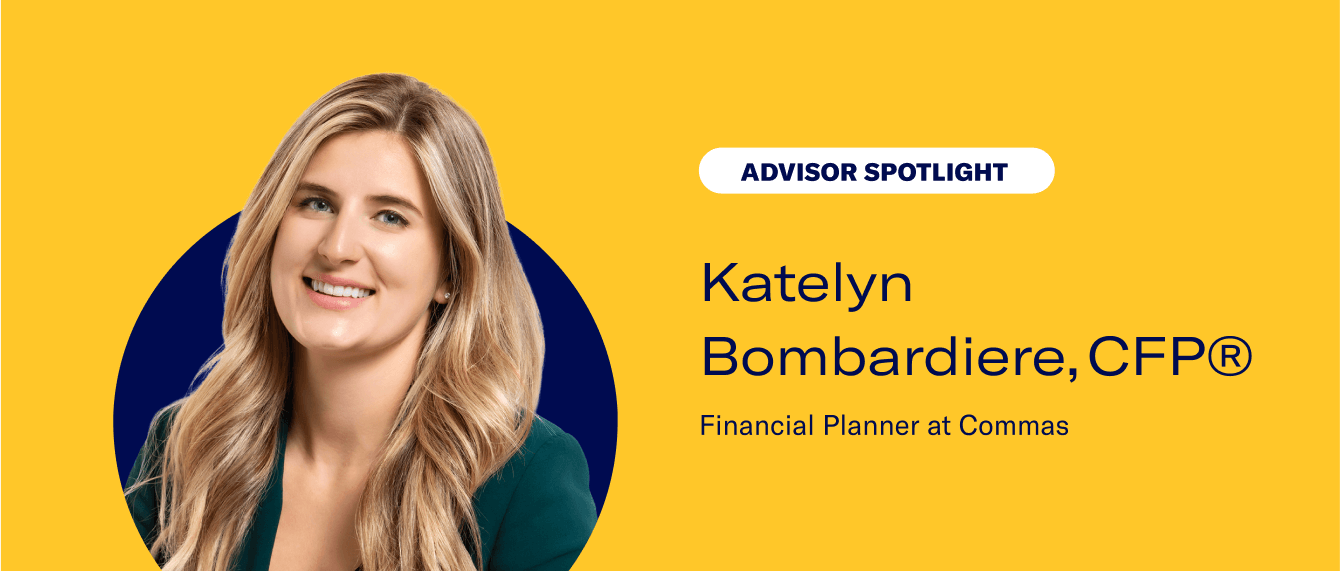
Advisor Spotlight: Katelyn Bombardiere, Commas
Advisor Spotlight: Katelyn Bombardiere, Commas Apr 30, 2026 2:00:00 PM For this Advisor Spotlight, we welcome Katelyn Bombardiere, CFP®, a Financial Planner at Commas, to chat about her passion for helping the everyday investor. Advisor: Katelyn Bombardiere Firm: Commas Bio: Katelyn Bombardiere, CFP®, is a Financial Planner at Commas, a fee-only financial planning firm based in Cincinnati. Katelyn started her career in the high-net-worth wealth management industry where she quickly realized her passion for helping the "everyday" investor. She sought a different approach to help people (like her friends, family and peers) without worrying about asset minimums. Firm Bio: We all don't have millions of dollars—but we all have goals. Commas is a financial advisory that provides fee-only service to the EveryInvestor: those who might not fit the standards set by traditional high-net-worth advisories but still deserve personalized financial guidance to meet their goals. We offer services with no account minimums, working with our clients at every step of the process and empowering them to create, plan, and achieve their desired money goals. We Are: Encouraging: 0% Judgment Trustworthy: Certified, Not Stuffy Purposeful: Fee-only for All Approachable: We Wear Jeans Why did you decide to become an advisor? As a sophomore in college, I was fortunate enough to go on a trip through the Leeds School of Business at The University of Colorado at Boulder. This trip took a group of students to over 10 different financial firms to introduce them to the possibilities of careers in finance. It was on this trip that I declared my major as finance and figured out that I wanted to be a wealth advisor. From there, I pivoted my internship and career choices to pursue my goal of becoming an advisor. What are some questions that you wish more clients would ask, and why? I think it is important for people who are looking for an advisor to know: if the advisor they are talking to is a fiduciary how that advisor is getting paid the investment philosophy and financial planning process the advisor follows what the advisor's qualifications are. I think gauging a sense of the advisor's passion is important too. You want to work with someone who is passionate about what they do, continues to learn, and shows an interest in you. What do you think is the biggest mistake people make with their money? Either they don't save enough, or they save but don't invest. Another big mistake is not understanding the difference between long-term investing in well-diversified funds and day trading. What does your firm's current tech stack look like? How has technology impacted your work? We utilize Betterment Advisor Solutions as our custodian and Right Capital as our financial planning software. We have created our own CRM platform using Airtable which is a zero code cloud spreadsheet database. This tool allows us to customize our own portal where we house client data, tasks, meeting notes, and the client ledger (types of accounts, where they are held, contributions, notes, etc.). What makes Commas unique, however, is our internal automations through Zapier. For example, after our introduction meeting, the prospect is automatically sent an email with the next steps (signing up for our fee, completing a questionnaire and opening a Betterment account with our client agreements). Once they complete that step they are automatically sent another email asking them to upload documents to our secure portal. Those documents then file themselves into the correct client folder. The clients are then prompted to schedule our discovery meeting. This process continues all the way through the client onboarding process, and even when it comes time for generating annual reviews. These automations are what allows us to service our clients more successfully. They decrease the time we spend on busy work—account opening paperwork, filing documents, creating review outlines, sending template emails, etc.—and increase the amount of time we get to meet with clients and work on their financial plans. How have the recent trends toward remote and hybrid work impacted your relationship with clients? The remote work trend has only strengthened our client relationships as we were already well equipped from a technology standpoint. Our client meetings are generally 30 minutes to an hour, which is on the shorter side when looking at some other wealth management firms. I think our clients like the ability to have a quick meeting and get back to their day. They are just as busy as we are! This also allows us to work with clients all across the country. What do you think is the biggest opportunity for advisors today? To work with the everyday investors and show them that they are qualified to work with an advisor. You don't have to have thousands or millions of dollars to get good financial advice from a trustworthy source. This is also an opportunity to prove that fiduciary financial advisors are trustworthy professionals, not shifty sales people. If you won the lottery, what would you do with the money? Treat myself to a nice international vacation, set aside some funds for my closest friends and family (as long as they invest it for their futures), and invest the rest to ensure that I can attain all of my goals and retire comfortably. If you could only give one piece of financial advice, what would it be? If you are young, start investing today—even if it is $10/month! If you are older, still get started today! I also can't help but advise that you talk to a financial advisor (fiduciary!). Every single person's financial situation is different, and having the peace of mind that you are on track is so powerful. Yes, you can absolutely do this on your own, but do you have the time or passion to do it? Will you be 100% confident in your choices? If you are sick, you go to the doctor. If you have a toothache, you go to the dentist. If you have finances to manage (spoiler alert we all do), why not talk to a financial advisor? -
Client Agreement Automation
Client Agreement Automation Apr 28, 2026 9:15:00 AM Everything you need to know about this great feature. Scroll down to learn more and read our legal disclosures. The Betterment Advisor Solutions Client Agreement Automation function will make onboarding your new clients fast, easy, and completely paperless. By permitting your clients to execute your firm’s advisory agreement as part of the white-labeled Betterment Advisor Solutions signup experience, you automate a manual process, giving you more time to focus on your business while providing your clients with a better experience. How to get started You may need to update your Form ADV Part 2A and most likely your Client Agreement to reflect the incorporation of Betterment Advisor Solutions into your practice, including (among other things) how your firm uses Betterment’s sub-advisory and brokerage services, and Betterment’s fees. Since each situation is unique, please consult with your attorney or compliance officer. About the Client Agreement Automation function The Client Agreement Automation function gives you the option to have your clients electronically execute your firm’s advisory agreement as part of the white-labeled onboarding experience. It also will permit you to provide your Form ADV Part 2A, Form CRS, and privacy policy to your clients at the time of onboarding. Additionally, each advisor on the platform may supply their Form ADV Part 2B if they choose to do so. This will be presented to their clients at the time of onboarding alongside the other documents that may be supplied at the firm level. Provision of the Form ADV Part 2B is optional, and can be implemented even if your firm does not supply any of the other agreements or disclosures. Use of the Client Agreement Automation function is optional. If you choose not to use the function or to provide only a subset of your firm documents, you will need to separately execute your agreements between your firm and your clients and deliver firm disclosures in a manner determined by you outside of the Betterment Advisor Solutions platform. The Client Agreement Automation function is only intended to assist firms in presenting agreements and disclosures associated with account openings. Subsequent updates to these documents are not re-delivered to existing clients; the firm must make their own arrangements to deliver any such updates. Note that firm admins may upload a revised Form CRS outside of the account opening process, which will prompt a confirmation modal for client acknowledgment; however, no such capability exists for other agreement types. For all other document updates, the firm retains sole responsibility for arranging delivery to existing clients through appropriate means outside of this function. Contact us with questions at support@bettermentadvisorsolutions.com. How Client Agreement Automation works Overview: The Client Agreement Automation allows your firm to provide a form advisor agreement, Form ADV Part 2A, Form ADV Part 2B, Form CRS and privacy policy to Betterment, which Betterment will then host. As part of the Betterment Advisor Solutions client signup, Betterment will electronically deliver these documents to your clients. For your firm’s Client Agreement, you have the option to enable DocuSign to collect a visible electronic signature from your client—including their name and date — which will also appear on the downloaded PDF. Your Form ADV Part 2A, Form ADV Part 2B, Form CRS, and privacy policy will use checkbox consent, which permits your clients to click a checkbox indicating their consent. DocuSign is only supported for Client Agreements. You have the option of providing only a subset of the documents listed above, though you must provide an advisory agreement to use this function. Only those documents which you upload to your firm dashboard will be provided to clients. Signup: As part of the Betterment Advisor Solutions electronic signup process, your clients are presented with agreements between them and Betterment, and acknowledge receipt of Betterment’s disclosure documents. If you elect to use the Client Agreement Automation function, your clients are also presented with your firm’s advisory agreement and any disclosure documents you have uploaded as of the date each client signs up. If you have enabled DocuSign, your client will electronically sign and date your Client Agreement, which will be visible on the downloaded PDF. If DocuSign is not enabled, your client will need to consent to the terms of your Client Agreement electronically, by checking a box and clicking a button to agree to create their account. Please note, Betterment does not collect traditional handwritten signatures for your agreement or the Betterment Advisor Solutions agreements. Instead, consent is indicated electronically, and the date and time of such consent is recorded and stored. For all other firm documents—Form ADV, Form CRS, and privacy policy—clients indicate consent via checkbox. This flow applies during the initial client onboarding and when a client opens a new legal account, provided they have not already signed the most recent version of your firm’s agreement. Records: In the advisor dashboard, under the “Agreements” tab, you can access the "Client packages" window to view which clients executed your firm’s agreement electronically, the date and time at which they did so, and a digital copy of the version they executed (along with the versions of the firm’s Form ADV Part 2A, Form CRS and privacy policy, and the advisor’s Form ADV Part 2B, provided these documents were uploaded at the time the client was onboarded). You can also download all client packages in bulk. Each agreement package includes your firm’s Client Agreement—with a visible DocuSign signature if you have DocuSign enabled—along with any firm disclosure documents you have uploaded, such as your Form ADV, Form CRS, and privacy policy, which reflect checkbox consent. Note that Betterment’s own agreements are not included in these packages. The most up-to-date version of Betterment’s Client Agreement is available here and other disclosures are here. Important considerations for your firm Please review these items carefully before deciding whether or not to use the Client Agreement Automation function. The Client Agreement Automation function supports one of each disclosure document type per firm at a time—one Form ADV Part 2A, one Form CRS, and one privacy policy. You may update these at any time by having a firm admin upload a new copy via the Agreements section of the portal. Once updated, the new version will be presented to all new clients going forward, but will not be redistributed to existing clients. If you choose to enable DocuSign for your Client Agreement, it will apply to all clients you bring onto Betterment going forward. Your Form ADV, Form CRS, and privacy policy will continue to use checkbox consent and are not affected by DocuSign enablement. Form ADV Part 2B: Each individual advisor on the platform may upload their own ADV Part 2B if they choose or if their firm directs them to do so. If a Form ADV Part 2B is present when a client signs up, a record of the acknowledgement of receipt of the Form ADV Part 2B and a copy thereof will be presented on the Agreements page as well as in the Compliance view, alongside firm-level agreements (if supplied). Form CRS: When present, the Firm’s Form CRS will be shown as the first disclosure alongside the other documents and disclosures during client onboarding that are a part of the Client Agreement Automation function. In addition to client onboarding, the Firm’s Form CRS is presented to clients when adding additional services, including when the client opens a new type of account, on the client consent form when the advisor initiates the opening of a new type of account, when a rollover is initiated by a client, on the client consent form when the advisor initiates a rollover, on quarterly statement notifications, and when a user logs in for the first time since the Firm has uploaded or updated their Form CRS. Examples of opening a new type of account include when a client with a taxable investing account opens an individual retirement account or when a client with an individual retirement account opens a joint account. Fee changes: When considering whether to use the Client Agreement Automation function, you should take into account that advisors have the ability to change the fees they charge specific clients in the advisor dashboard (subject to available Billing Plans, which can only be created by firm admins.) Before using the function, you should determine how, if at all, this impacts the structure of your agreements. Always on: If you decide to use the Client Agreement Automation function, it will be turned on for all clients you bring to Betterment Advisor Solutions. Please note, however, that DocuSign is not available for clients transitioning to your firm from Betterment's retail or 401(k) platforms. Clients moving from these platforms will instead execute your firm's advisory agreement via checkbox consent through the Client Agreement Automation function. Multiple signatories: Currently, the Client Agreement Automation function does not support accounts with multiple signatories, such as trusts with multiple trustees and joint accounts. With joint accounts, each individual account holder will sign their own separate agreements. Agreement amendments: While agreements can be updated and will go live for future client onboarding, we do not support amendments to your agreements with existing clients on our system. If you would like to amend your agreement with some of your clients, you will need to do so yourself, using whatever non-Betterment mechanism and recordkeeping system you deem appropriate. Form ADV Part 2A, Form CRS, and privacy disclosure updates: While Form ADV Part 2A and privacy disclosures can be updated and will go live for subsequent client onboarding, we will not send any updates to your Form ADV Part 2A or privacy disclosures to your existing clients. You are responsible for complying with SEC rules governing when and how to deliver any required disclosures and amendments to these documents to your clients. -
FAQ: Agreement Automation Process
FAQ: Agreement Automation Process Apr 28, 2026 9:00:00 AM The Betterment Advisor Solutions Client Agreement Automation function will make onboarding your new clients fast, easy, and completely paperless. Will my firm need to update our ADV and/or Client Agreement to reflect the incorporation of Betterment Advisor Solutions into my practice? Yes, you will need to update your Form ADV Part 2A and most likely your Client Agreement to reflect the incorporation of Betterment Advisor Solutions into your practice, including (among other things) how your firm uses Betterment’s sub-advisory and brokerage services, and Betterment’s fees. Since each situation is unique, please consult with your attorney or compliance officer. Can Betterment Advisor Solutions automate the signing of my agreement with my client? Yes, you can provide PDF versions of your Client Agreement, Form ADV Part 2, and privacy policy to include as part of the electronic signup process a client undergoes with Betterment. We also provide reporting in your dashboard about which versions your clients have agreed to, and when. You can read more about our agreement automation feature, including legal disclosures, here. If you choose to enable DocuSign for your firm, your clients will electronically sign your Client Agreement with a visible signature (including their name and the date signed) that appears on the downloaded PDF. Note that DocuSign signatures apply to your firm’s Client Agreement only. What relationship does the client have with Betterment? Betterment acts as the sub-advisor to your client. You still remain the primary advisor to your client. When your client goes through the new account opening process, they will sign an agreement with Betterment directly as the sub-advisor, and, if you wish, an agreement with your firm directly as the primary advisor. Am I able to see an archive of electronically executed client agreements? If so, what does this look like? If you enable the agreement automation feature to deliver a paperless account opening process for your clients, an archive of the date and time stamp and the version of the agreement that each client electronically signed is housed on the "Client packages" page within the “Agreements” tab of the advisor dashboard. You can download all signed agreement packages in bulk. Each agreement package includes your firm’s Client Agreement (with a visible DocuSign signature if you have DocuSign enabled), along with any firm disclosure documents you have uploaded—such as your Form ADV, Form CRS, and privacy policy—which reflect checkbox consent. Note that Betterment’s own agreements are not included in these packages. To learn more about our agreement automation feature, please see here. -
How to set up the FinDash integration
How to set up the FinDash integration Mar 24, 2026 10:43:08 AM Overview FinDash is an AI-powered operating system for financial advisory teams, giving every client (and their family) a single collaborative CRM and planning dashboard for net worth, cash flow, investments, insurance, goals, estate planning, documents, and tasks. FinDash helps advisors turn planning insights into execution with workflows, automation, and secure client collaboration so teams can deliver faster, more proactive service at scale. The information sent to FinDash includes: Account information Positions Transactions Tax lots Enabling the integration You can set up this integration for your firm by taking the following steps: Log in to your advisor dashboard and navigate to Settings > Integrations. Select FinDash from the list and click Connect to FinDash. You will see confirmation that the integration has been enabled. Data will be sent to FinDash within one business day. If you have any questions about enabling or supporting the Betterment integration on the FinDash side, email hello@findash.ai. -
RIA guide: How to explain tax loss harvesting to clients
RIA guide: How to explain tax loss harvesting to clients Feb 26, 2026 12:00:00 PM Tax loss harvesting can be a confusing topic for clients to understand. This guide gives you simple talking points to help explain it to your clients. Clients having trouble grasping the concept of tax loss harvesting? From a simple one-sentence explainer to details on how Betterment’s automated Tax Loss Harvesting works, we’ve got you covered. Table of Contents: In one sentence: “What is tax loss harvesting?” Five key concepts: The building blocks of tax loss harvesting How does tax loss harvesting work? How Tax Loss Harvesting works with Betterment Advisor Solutions How to answer other tax loss harvesting FAQs Explaining complex financial topics to clients is challenging. You want them to understand but, at the same time, not overwhelm them. This guide can help you explain sophisticated tax strategies to your clients without causing extra stress for them. In one sentence: “What is tax loss harvesting?” So, your client asks: “What is tax loss harvesting?” Rather than delivering a complex answer, start with a single sentence: “Tax loss harvesting aims to lower your tax bill by selling investments at a loss to offset capital gains from other investments.” Now, stop there. Ask your client if they want you to break down the details of how it works. If they say yes, start with the five key concepts below. Five key concepts: The building blocks of tax loss harvesting When talking with clients, you can share that these concepts are the building blocks that make tax loss harvesting possible. You can walk through the table below, providing examples to clients. How does tax loss harvesting work? Now that you have explained what tax loss harvesting is in one sentence and shared the five building blocks, you can explain to your client how the process generally works in three steps. Step 1: Identity your capital losses This involves looking for investments in your portfolio that have declined since they were purchased. It’s important to note that we don’t sell any investment that is down in value. We strategically select which investments to sell to help maintain the proper portfolio allocation. Step 2: Sell at a loss and replace your investment Once investments with capital losses have been identified, they are sold to “harvest” the loss. Making sure not to break the “wash sale” rule, new investments are bought to fit into your overall investment strategy. Step 3: Use loss to offset your capital gains or income on your taxes The losses you “harvested” can offset up to $3,000 of capital gains from investments or income each year. Any remaining losses over $3,000 can be carried forward indefinitely to offset gains or income in future years. How Tax Loss Harvesting works with Betterment Advisor Solutions It’s important to let your clients know that this is the general process for implementing. Performed manually, it can be time-consuming and potentially risky if done improperly. However, leveraging modern technology, like the Betterment Advisor Solutions platform, can help you minimize risk. As a Betterment advisor, you can offer your clients Tax Loss Harvesting (aka TLH). Read the full TLH white paper. Here’s how to talk to your clients about Betterment’s TLH process As an advisor, you can use the following talking points: No extra costs: There are no extra trading costs to harvest your losses, so you don’t have to worry if extra fees reduce any potential gains. Automated dividend reinvestment: Without breaking the “wash sale” rule, available dividends are reinvested rather than held as cash, which allows you to keep your money in the market so you don’t miss out on potential gains. Automatic rebalancing: When shares are sold at a loss, the proceeds are reinvested in the asset classes that will bring your portfolio back into balance rather than simply defaulting back to the asset class they came from. No short-term capital gains tax: Some tax loss harvesting methods switch back to the primary ETF after the 30-day wash period has passed. This can create short-term capital gains tax that may dramatically reduce the benefit of harvesting losses and even leave you owing more in taxes. Our algorithm only moves back to the primary ETF when it is appropriate for your account. IRA harvest protection: Selling an ETF for a loss in your taxable account and then buying the same ETF in your IRA can cause a permanent wash sale, destroying the benefit of loss harvesting entirely. We strive to ensure that IRA deposits do not undermine a harvest. How to answer other tax loss harvesting FAQs Below are common questions about tax loss harvesting, along with talking points to help you respond to clients within the context of Betterment’s TLH. Is tax loss harvesting right for me? Tax loss harvesting might be right for you if you are in a higher tax bracket or have significant capital gains or losses in a taxable account. In both scenarios, tax loss harvesting may offset your capital gains to help reduce your tax bill. Using Betterment’s automated technology, we can help harvest losses in a way that reduces potential risks. What are the risks of tax loss harvesting? Risks can include extra trading fees, holding too much cash after selling at a loss, an unbalanced portfolio, or violating the wash sale rule. But don’t worry — our tech is designed to help avoid these risks so you can enjoy the benefits of tax loss harvesting. What are the benefits of tax loss harvesting? The primary benefit of tax loss harvesting can be reducing your tax bill. When done correctly using our automated technology, Betterment can lower the tax you would have paid on your capital gains. What if I have more than $3,000 in losses? You can carry forward any unused losses into future years. For example, if you have $5,000 in losses and use $3,000 to offset capital gains this year, you can carry forward $2,000 to offset capital gains or income in any future year. Can I wait until tax day to sell at a loss? No, unfortunately, tax loss harvesting transactions must be complete by December 31 each year. Can I use tax loss harvesting with any of my investment accounts? Tax loss harvesting can only be used in taxable accounts. In tax-advantaged accounts, like a 401(k), you can’t deduct the losses, so tax loss harvesting wouldn’t be applicable. It’s important to note that selling an asset at a loss in a taxable account can still trigger the wash-sale rule if you purchase the same or a substantially similar asset within 30 days in a tax-deferred account, such as a Roth IRA. For instance, selling an ETF at a loss in a brokerage account and then buying the identical ETF within 30 days in a Roth IRA could still disallow the loss for tax purposes. See how Betterment automates tax loss harvesting and more From our proprietary Tax Loss Harvesting process to tax-smart investing portfolios, the Betterment Advisors Solutions platform streamlines your firm’s practices while creating value for your clients.