Advisor Resources
Sort by:
-
3(21) vs. 3(38) fiduciaries: A guide for advisors
3(21) vs. 3(38) fiduciaries: A guide for advisors Apr 30, 2026 4:15:27 PM Understanding the difference between 3(21) and 3(38) fiduciary status isn't just compliance knowledge—it shapes how you structure client engagements and manage your liability. If you advise retirement plans, your fiduciary designation isn't just a label—it determines your liability, your authority, and how your clients can work with you. Yet many advisors operate under a 3(21) or 3(38) designation without fully examining whether it's the right fit for a given engagement. The difference between 3(21) and 3(38) comes down to one central question: Who has the final say on investment decisions? That single distinction cascades into different liability structures, documentation requirements, and sponsor relationships. This guide breaks both roles down from the advisor perspective. We cover what each designation means for your practice, when each structure makes sense, and where the compliance risks hide when the two get confused. What ERISA actually says about investment fiduciaries Before diving into the differences, it helps to understand where these designations come from. Both 3(21) and 3(38) are defined in the Employee Retirement Income Security Act of 1974 (ERISA)—and both carry fiduciary duty, just in different ways. Key ERISA concepts to know: Fiduciary status: Anyone who exercises discretionary authority or control over plan assets, renders investment advice for compensation, or has discretionary authority over plan administration is considered a fiduciary under ERISA. De facto fiduciary status: Even if your agreement doesn't call you a fiduciary, ERISA may treat you as one based on what you actually do, not what your contract says. Co-fiduciary liability: A plan can have multiple fiduciaries with overlapping responsibilities. Each is liable for their own breaches and, in some cases, for the breaches of others they knowingly allow. 3(16) administrators: A separate fiduciary role focused on operational and compliance duties, not investments. We'll cover this briefly in a later section. Why this matters to your practice If you're providing investment guidance to a plan without a clearly defined fiduciary role in writing, you may already carry liability you haven't formally accepted. ERISA looks at function, not just labels. 3(21) fiduciary: The co-advisor role A 3(21) fiduciary is a co-fiduciary who provides investment recommendations, but leaves final decision-making authority with the plan sponsor. What you do as a 3(21) advisor: Analyze the plan's investment lineup against objectives and the investment policy statement (IPS) Recommend additions, replacements, or removals from the fund menu Document your rationale for every recommendation Attend investment committee meetings and advise on fund performance Monitor the lineup and flag underperformers, but do not act unilaterally What the plan sponsor retains: Final authority over which funds are selected, retained, or removed Fiduciary liability for the investment decisions they make based on your advice The duty to act prudently on the recommendations you provide Your liability as a 3(21): You are still a co-fiduciary, which means you can be held liable for imprudent recommendations, even though you don't make the final call. The sponsor's liability doesn't insulate you from your own. 3(21) works best when: The sponsor has an active investment committee with sufficient expertise to evaluate recommendations The plan has a strong governance infrastructure: documented meetings, a current IPS, and clear decision-making processes The sponsor wants an engaged advisory relationship but prefers to remain in control 3(38) fiduciary: the discretionary manager role A 3(38) fiduciary is an investment manager who assumes full discretionary authority over plan assets. You don't recommend—you decide, implement, and act, without requiring sponsor approval for each investment change. What you do as a 3(38) manager: Select, monitor, and replace plan investment options at your discretion Execute fund changes without having to go through a sponsor approval process Manage the investment lineup to meet plan objectives and IPS guidelines Provide regular performance reporting to the plan sponsor and committee What falls under your remit: Fiduciary liability for investment decisions, with the sponsor being relieved of liability for the choices you make Responsibility for acting prudently, with care, and in the best interest of plan participants Documentation, which includes the written 3(38) agreement, quarterly reviews, and scope of authority What the plan sponsor still owns: Liability for hiring you as the 3(38) manager The duty to monitor you in your role as 3(38) manager 3(38) works best when: The sponsor has limited internal investment expertise or a small, informal committee The plan sponsor's primary goal is to minimize personal fiduciary exposure You have the systems, infrastructure, and capacity to manage investment decisions efficiently across multiple plans 3(21) vs. 3(38) at a glance This table is a quick reference to help evaluate which structure fits a given engagement. You can use this table when talking with a plan sponsor client about their decision. Comparing 3(21) and 3(38) fiduciaries DIMENSION 3(21) FIDUCIARY 3(38) FIDUCIARY ERISA Reference Section 3(21)(A)(ii) Section 3(38) Fiduciary Type Co-fiduciary / Investment advisor Investment manager (discretionary) Discretion level Non-discretionary Advisor recommends and sponsor decides Full discretion Manager selects and implements independently Who decides Plan sponsor retains final decision-making authority 3(38) manager makes all investment decisions Liability transfer Shared with the advisor and sponsor both carry fiduciary duty Shifted with investment liability moved to the 3(38) manager Sponsor still owns Full investment decision liability Duty to prudently select and monitor the 3(38) manager Advisor liability Yes, for imprudent recommendations Yes, for imprudent exercise of discretionary authority Documentation needs IPS alignment, meeting minutes, recommendation rationale Written 3(38) agreement, scope of authority, performance reviews Best if sponsor… Has active committees with investment expertise and governance resources Seeks liability relief with minimal day-to-day involvement Advisor role Analyze, recommend, document — but not decide Select, implement, and replace funds independently How to determine which role fits your engagement Choosing between 3(21) and 3(38) isn't just a client preference question; it's a practice management decision that touches your liability, your workflows, and your infrastructure. Here are four factors to work through for any new plan engagement: 1. What is your firm's appetite for discretionary liability? Taking on a 3(38) role means the liability for investment decisions follows you. Before assuming that role, confirm that your E&O insurance covers discretionary investment management for ERISA plans, and that your compliance team is aligned. 2. How sophisticated is the sponsor's governance structure? A 3(21) relationship requires the sponsor to have the bandwidth and competency to evaluate your recommendations and make informed decisions. For sponsors with thin committees, limited documentation habits, or minimal investment expertise, that's a real risk — both for the plan and for you. 3. What's the plan's size and complexity? Larger plans with diverse investment menus and active participant engagement may benefit from the rigor of a co-advisory 3(21) relationship. Smaller plans—or sponsors stretched across multiple responsibilities—might be better served by a 3(38) structure that takes the decision-making burden off their plate. 4. Does your current engagement agreement match how you actually operate? This is the most overlooked question. If your agreement says 3(21) but you're effectively making investment decisions without sponsor sign-off, you may be operating as a de facto 3(38)—without the formal agreement that would govern that liability transfer. Compliance check If your agreement and your actual conduct don't align, that gap creates legal exposure for you and your client. Before taking on new plan clients, or reviewing existing ones, have your compliance team audit your engagement agreements against how you're actually operating. A quick note on 3(16): The third fiduciary role You'll often hear 3(16) mentioned alongside 3(21) and 3(38). It's worth understanding the distinction so you can have a complete conversation with plan sponsors about how fiduciary responsibility is distributed across their plan. Here's how the three roles divide responsibilities: 3(21): Investment advice and recommendations—co-fiduciary, non-discretionary 3(38): Investment management—discretionary authority, full liability transfer for investment decisions 3(16): Plan administration—Form 5500 filing, required notices, enrollment, compliance documentation A 3(16) plan administrator handles the operational and compliance side of running the plan, not the investment side. Many plan sponsors don't realize they're personally liable for these administrative duties until they're facing a DOL audit or a missed filing deadline. Advisors who can offer—or refer out—3(16) support are providing more complete coverage to their plan clients. Betterment Advisor Solutions supports both 3(21) and 3(38) fiduciaries Betterment Advisor Solutions is built for advisors who are serious about growing a retirement plan practice—not just adding plans, but running them efficiently, compliantly, and at scale. Whether you operate as a 3(21) or 3(38), the Betterment Advisor Solutions platform gives you: A modern advisor platform designed for managing multiple plans with minimal administrative overhead 3(16) administrative services that handle the operational burden—so neither you nor your client carries unnecessary compliance exposure Digital onboarding and participant enrollment tools that can reduce setup friction for new plans Investment management infrastructure that supports discretionary models without requiring you to build it from scratch Clear documentation and reporting to support fiduciary governance—regardless of which role you hold The right fiduciary structure for your clients starts with having the right infrastructure behind your practice. Betterment Advisor Solutions makes it practical—not just possible—to take on more plan clients while maintaining the quality of service your clients expect. Ready to build a more scalable retirement plan practice? Explore Betterment Advisor Solutions. Frequently Asked Questions Q: Am I automatically a fiduciary if I advise a 401(k) plan? Not necessarily. Fiduciary status under ERISA is determined by function, not title. If you're providing individualized investment advice for compensation, exercising discretion over plan assets, or rendering investment recommendations on an ongoing basis, you may be a fiduciary regardless of how your agreement is written. If you're unsure of your status, have your compliance team review both your engagement agreements and your actual conduct. Q: What's the difference between a 3(21) and 3(38) fiduciary? A 3(21) is a co-fiduciary who provides investment recommendations—the plan sponsor retains final decision-making authority and the associated fiduciary liability. A 3(38) is a discretionary investment manager who selects and implements investment decisions independently, shifting investment-related liability away from the sponsor. The key distinction is who has final decision-making authority—and who bears the consequences. Q: Can I serve as a 3(38) fiduciary if I'm an RIA? Yes — registered investment advisers can serve as 3(38) investment managers for ERISA plans, provided the service is within the scope of their investment adviser registration and is clearly outlined in a written investment management agreement with the plan. Many RIAs serving as 3(38) managers also confirm that their E&O coverage extends to discretionary management of ERISA plan assets. Q: What happens if my agreement says 3(21) but I'm making discretionary decisions? This is a significant compliance risk. ERISA looks at function, not just the language in your contract. If you're exercising discretion over investment selections—even informally—you may be treated as a 3(38) investment manager without the formal agreement that governs that liability transfer. That gap can expose both you and your client. If this describes your current practice, review your agreements with legal counsel promptly. Q: How does a 3(16) fiduciary differ from 3(21) and 3(38)? A 3(16) plan administrator is responsible for the operational and compliance side of running the plan—filing Form 5500, distributing required participant notices, managing enrollment, and maintaining plan documentation. It's a distinct role from the investment-focused 3(21) and 3(38) designations. Many plan sponsors are personally serving as their own 3(16) administrator without realizing the liability exposure that carries. Betterment Advisor Solutions offers 3(16) administrative services that can offload that burden from the sponsor—and from you. -
Advisor Spotlight: Katelyn Bombardiere, Commas
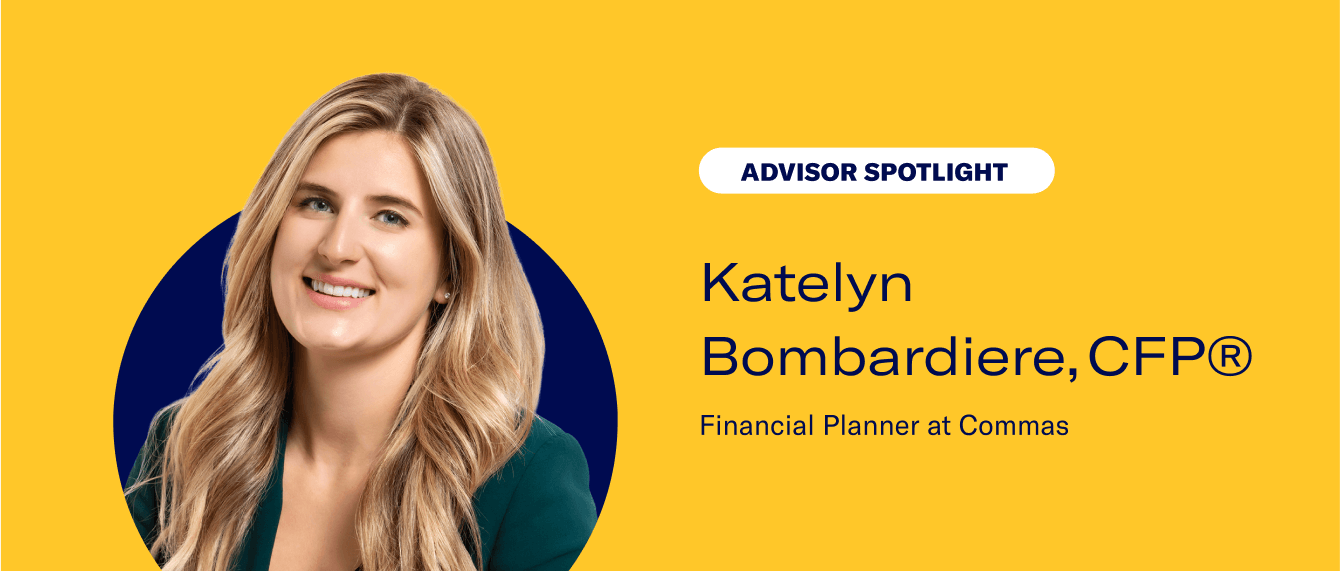
Advisor Spotlight: Katelyn Bombardiere, Commas Apr 30, 2026 2:00:00 PM For this Advisor Spotlight, we welcome Katelyn Bombardiere, CFP®, a Financial Planner at Commas, to chat about her passion for helping the everyday investor. Advisor: Katelyn Bombardiere Firm: Commas Bio: Katelyn Bombardiere, CFP®, is a Financial Planner at Commas, a fee-only financial planning firm based in Cincinnati. Katelyn started her career in the high-net-worth wealth management industry where she quickly realized her passion for helping the "everyday" investor. She sought a different approach to help people (like her friends, family and peers) without worrying about asset minimums. Firm Bio: We all don't have millions of dollars—but we all have goals. Commas is a financial advisory that provides fee-only service to the EveryInvestor: those who might not fit the standards set by traditional high-net-worth advisories but still deserve personalized financial guidance to meet their goals. We offer services with no account minimums, working with our clients at every step of the process and empowering them to create, plan, and achieve their desired money goals. We Are: Encouraging: 0% Judgment Trustworthy: Certified, Not Stuffy Purposeful: Fee-only for All Approachable: We Wear Jeans Why did you decide to become an advisor? As a sophomore in college, I was fortunate enough to go on a trip through the Leeds School of Business at The University of Colorado at Boulder. This trip took a group of students to over 10 different financial firms to introduce them to the possibilities of careers in finance. It was on this trip that I declared my major as finance and figured out that I wanted to be a wealth advisor. From there, I pivoted my internship and career choices to pursue my goal of becoming an advisor. What are some questions that you wish more clients would ask, and why? I think it is important for people who are looking for an advisor to know: if the advisor they are talking to is a fiduciary how that advisor is getting paid the investment philosophy and financial planning process the advisor follows what the advisor's qualifications are. I think gauging a sense of the advisor's passion is important too. You want to work with someone who is passionate about what they do, continues to learn, and shows an interest in you. What do you think is the biggest mistake people make with their money? Either they don't save enough, or they save but don't invest. Another big mistake is not understanding the difference between long-term investing in well-diversified funds and day trading. What does your firm's current tech stack look like? How has technology impacted your work? We utilize Betterment Advisor Solutions as our custodian and Right Capital as our financial planning software. We have created our own CRM platform using Airtable which is a zero code cloud spreadsheet database. This tool allows us to customize our own portal where we house client data, tasks, meeting notes, and the client ledger (types of accounts, where they are held, contributions, notes, etc.). What makes Commas unique, however, is our internal automations through Zapier. For example, after our introduction meeting, the prospect is automatically sent an email with the next steps (signing up for our fee, completing a questionnaire and opening a Betterment account with our client agreements). Once they complete that step they are automatically sent another email asking them to upload documents to our secure portal. Those documents then file themselves into the correct client folder. The clients are then prompted to schedule our discovery meeting. This process continues all the way through the client onboarding process, and even when it comes time for generating annual reviews. These automations are what allows us to service our clients more successfully. They decrease the time we spend on busy work—account opening paperwork, filing documents, creating review outlines, sending template emails, etc.—and increase the amount of time we get to meet with clients and work on their financial plans. How have the recent trends toward remote and hybrid work impacted your relationship with clients? The remote work trend has only strengthened our client relationships as we were already well equipped from a technology standpoint. Our client meetings are generally 30 minutes to an hour, which is on the shorter side when looking at some other wealth management firms. I think our clients like the ability to have a quick meeting and get back to their day. They are just as busy as we are! This also allows us to work with clients all across the country. What do you think is the biggest opportunity for advisors today? To work with the everyday investors and show them that they are qualified to work with an advisor. You don't have to have thousands or millions of dollars to get good financial advice from a trustworthy source. This is also an opportunity to prove that fiduciary financial advisors are trustworthy professionals, not shifty sales people. If you won the lottery, what would you do with the money? Treat myself to a nice international vacation, set aside some funds for my closest friends and family (as long as they invest it for their futures), and invest the rest to ensure that I can attain all of my goals and retire comfortably. If you could only give one piece of financial advice, what would it be? If you are young, start investing today—even if it is $10/month! If you are older, still get started today! I also can't help but advise that you talk to a financial advisor (fiduciary!). Every single person's financial situation is different, and having the peace of mind that you are on track is so powerful. Yes, you can absolutely do this on your own, but do you have the time or passion to do it? Will you be 100% confident in your choices? If you are sick, you go to the doctor. If you have a toothache, you go to the dentist. If you have finances to manage (spoiler alert we all do), why not talk to a financial advisor? -
Client Agreement Automation
Client Agreement Automation Apr 28, 2026 9:15:00 AM Everything you need to know about this great feature. Scroll down to learn more and read our legal disclosures. The Betterment Advisor Solutions Client Agreement Automation function will make onboarding your new clients fast, easy, and completely paperless. By permitting your clients to execute your firm’s advisory agreement as part of the white-labeled Betterment Advisor Solutions signup experience, you automate a manual process, giving you more time to focus on your business while providing your clients with a better experience. How to get started You may need to update your Form ADV Part 2A and most likely your Client Agreement to reflect the incorporation of Betterment Advisor Solutions into your practice, including (among other things) how your firm uses Betterment’s sub-advisory and brokerage services, and Betterment’s fees. Since each situation is unique, please consult with your attorney or compliance officer. About the Client Agreement Automation function The Client Agreement Automation function gives you the option to have your clients electronically execute your firm’s advisory agreement as part of the white-labeled onboarding experience. It also will permit you to provide your Form ADV Part 2A, Form CRS, and privacy policy to your clients at the time of onboarding. Additionally, each advisor on the platform may supply their Form ADV Part 2B if they choose to do so. This will be presented to their clients at the time of onboarding alongside the other documents that may be supplied at the firm level. Provision of the Form ADV Part 2B is optional, and can be implemented even if your firm does not supply any of the other agreements or disclosures. Use of the Client Agreement Automation function is optional. If you choose not to use the function or to provide only a subset of your firm documents, you will need to separately execute your agreements between your firm and your clients and deliver firm disclosures in a manner determined by you outside of the Betterment Advisor Solutions platform. The Client Agreement Automation function is only intended to assist firms in presenting agreements and disclosures associated with account openings. Subsequent updates to these documents are not re-delivered to existing clients; the firm must make their own arrangements to deliver any such updates. Note that firm admins may upload a revised Form CRS outside of the account opening process, which will prompt a confirmation modal for client acknowledgment; however, no such capability exists for other agreement types. For all other document updates, the firm retains sole responsibility for arranging delivery to existing clients through appropriate means outside of this function. Contact us with questions at support@bettermentadvisorsolutions.com. How Client Agreement Automation works Overview: The Client Agreement Automation allows your firm to provide a form advisor agreement, Form ADV Part 2A, Form ADV Part 2B, Form CRS and privacy policy to Betterment, which Betterment will then host. As part of the Betterment Advisor Solutions client signup, Betterment will electronically deliver these documents to your clients. For your firm’s Client Agreement, you have the option to enable DocuSign to collect a visible electronic signature from your client—including their name and date — which will also appear on the downloaded PDF. Your Form ADV Part 2A, Form ADV Part 2B, Form CRS, and privacy policy will use checkbox consent, which permits your clients to click a checkbox indicating their consent. DocuSign is only supported for Client Agreements. You have the option of providing only a subset of the documents listed above, though you must provide an advisory agreement to use this function. Only those documents which you upload to your firm dashboard will be provided to clients. Signup: As part of the Betterment Advisor Solutions electronic signup process, your clients are presented with agreements between them and Betterment, and acknowledge receipt of Betterment’s disclosure documents. If you elect to use the Client Agreement Automation function, your clients are also presented with your firm’s advisory agreement and any disclosure documents you have uploaded as of the date each client signs up. If you have enabled DocuSign, your client will electronically sign and date your Client Agreement, which will be visible on the downloaded PDF. If DocuSign is not enabled, your client will need to consent to the terms of your Client Agreement electronically, by checking a box and clicking a button to agree to create their account. Please note, Betterment does not collect traditional handwritten signatures for your agreement or the Betterment Advisor Solutions agreements. Instead, consent is indicated electronically, and the date and time of such consent is recorded and stored. For all other firm documents—Form ADV, Form CRS, and privacy policy—clients indicate consent via checkbox. This flow applies during the initial client onboarding and when a client opens a new legal account, provided they have not already signed the most recent version of your firm’s agreement. Records: In the advisor dashboard, under the “Agreements” tab, you can access the "Client packages" window to view which clients executed your firm’s agreement electronically, the date and time at which they did so, and a digital copy of the version they executed (along with the versions of the firm’s Form ADV Part 2A, Form CRS and privacy policy, and the advisor’s Form ADV Part 2B, provided these documents were uploaded at the time the client was onboarded). You can also download all client packages in bulk. Each agreement package includes your firm’s Client Agreement—with a visible DocuSign signature if you have DocuSign enabled—along with any firm disclosure documents you have uploaded, such as your Form ADV, Form CRS, and privacy policy, which reflect checkbox consent. Note that Betterment’s own agreements are not included in these packages. The most up-to-date version of Betterment’s Client Agreement is available here and other disclosures are here. Important considerations for your firm Please review these items carefully before deciding whether or not to use the Client Agreement Automation function. The Client Agreement Automation function supports one of each disclosure document type per firm at a time—one Form ADV Part 2A, one Form CRS, and one privacy policy. You may update these at any time by having a firm admin upload a new copy via the Agreements section of the portal. Once updated, the new version will be presented to all new clients going forward, but will not be redistributed to existing clients. If you choose to enable DocuSign for your Client Agreement, it will apply to all clients you bring onto Betterment going forward. Your Form ADV, Form CRS, and privacy policy will continue to use checkbox consent and are not affected by DocuSign enablement. Form ADV Part 2B: Each individual advisor on the platform may upload their own ADV Part 2B if they choose or if their firm directs them to do so. If a Form ADV Part 2B is present when a client signs up, a record of the acknowledgement of receipt of the Form ADV Part 2B and a copy thereof will be presented on the Agreements page as well as in the Compliance view, alongside firm-level agreements (if supplied). Form CRS: When present, the Firm’s Form CRS will be shown as the first disclosure alongside the other documents and disclosures during client onboarding that are a part of the Client Agreement Automation function. In addition to client onboarding, the Firm’s Form CRS is presented to clients when adding additional services, including when the client opens a new type of account, on the client consent form when the advisor initiates the opening of a new type of account, when a rollover is initiated by a client, on the client consent form when the advisor initiates a rollover, on quarterly statement notifications, and when a user logs in for the first time since the Firm has uploaded or updated their Form CRS. Examples of opening a new type of account include when a client with a taxable investing account opens an individual retirement account or when a client with an individual retirement account opens a joint account. Fee changes: When considering whether to use the Client Agreement Automation function, you should take into account that advisors have the ability to change the fees they charge specific clients in the advisor dashboard (subject to available Billing Plans, which can only be created by firm admins.) Before using the function, you should determine how, if at all, this impacts the structure of your agreements. Always on: If you decide to use the Client Agreement Automation function, it will be turned on for all clients you bring to Betterment Advisor Solutions. Please note, however, that DocuSign is not available for clients transitioning to your firm from Betterment's retail or 401(k) platforms. Clients moving from these platforms will instead execute your firm's advisory agreement via checkbox consent through the Client Agreement Automation function. Multiple signatories: Currently, the Client Agreement Automation function does not support accounts with multiple signatories, such as trusts with multiple trustees and joint accounts. With joint accounts, each individual account holder will sign their own separate agreements. Agreement amendments: While agreements can be updated and will go live for future client onboarding, we do not support amendments to your agreements with existing clients on our system. If you would like to amend your agreement with some of your clients, you will need to do so yourself, using whatever non-Betterment mechanism and recordkeeping system you deem appropriate. Form ADV Part 2A, Form CRS, and privacy disclosure updates: While Form ADV Part 2A and privacy disclosures can be updated and will go live for subsequent client onboarding, we will not send any updates to your Form ADV Part 2A or privacy disclosures to your existing clients. You are responsible for complying with SEC rules governing when and how to deliver any required disclosures and amendments to these documents to your clients. -
FAQ: Agreement Automation Process
FAQ: Agreement Automation Process Apr 28, 2026 9:00:00 AM The Betterment Advisor Solutions Client Agreement Automation function will make onboarding your new clients fast, easy, and completely paperless. Will my firm need to update our ADV and/or Client Agreement to reflect the incorporation of Betterment Advisor Solutions into my practice? Yes, you will need to update your Form ADV Part 2A and most likely your Client Agreement to reflect the incorporation of Betterment Advisor Solutions into your practice, including (among other things) how your firm uses Betterment’s sub-advisory and brokerage services, and Betterment’s fees. Since each situation is unique, please consult with your attorney or compliance officer. Can Betterment Advisor Solutions automate the signing of my agreement with my client? Yes, you can provide PDF versions of your Client Agreement, Form ADV Part 2, and privacy policy to include as part of the electronic signup process a client undergoes with Betterment. We also provide reporting in your dashboard about which versions your clients have agreed to, and when. You can read more about our agreement automation feature, including legal disclosures, here. If you choose to enable DocuSign for your firm, your clients will electronically sign your Client Agreement with a visible signature (including their name and the date signed) that appears on the downloaded PDF. Note that DocuSign signatures apply to your firm’s Client Agreement only. What relationship does the client have with Betterment? Betterment acts as the sub-advisor to your client. You still remain the primary advisor to your client. When your client goes through the new account opening process, they will sign an agreement with Betterment directly as the sub-advisor, and, if you wish, an agreement with your firm directly as the primary advisor. Am I able to see an archive of electronically executed client agreements? If so, what does this look like? If you enable the agreement automation feature to deliver a paperless account opening process for your clients, an archive of the date and time stamp and the version of the agreement that each client electronically signed is housed on the "Client packages" page within the “Agreements” tab of the advisor dashboard. You can download all signed agreement packages in bulk. Each agreement package includes your firm’s Client Agreement (with a visible DocuSign signature if you have DocuSign enabled), along with any firm disclosure documents you have uploaded—such as your Form ADV, Form CRS, and privacy policy—which reflect checkbox consent. Note that Betterment’s own agreements are not included in these packages. To learn more about our agreement automation feature, please see here. -
How plan conversions work at Betterment: A guide for advisors
How plan conversions work at Betterment: A guide for advisors Apr 23, 2026 10:33:31 AM Your step-by-step guide to 401(k) plan conversions — what to expect, who does what, and how to keep things on track. Plan conversions are one of the most complex transitions in the 401(k) world, and can be confusing for all involved: advisors, sponsors, and participants. Below, we’ll walk you through the full process so you can set accurate expectations with your plan sponsors and their participants from day one. Your client’s onboarding specialist will also reach out to you and your client to schedule a kickoff call to discuss the onboarding process together. This call covers an overview of the onboarding process, estimated timelines, key milestones, and any questions you may have so that everyone is aligned. Key: 🟠 Plan Sponsor | 🔵 Betterment | ⭐ Where advisors can help move things along Step 1: Connect with the prior recordkeeper 🟠 The plan sponsor sends deconversion documents to the prior recordkeeper to officially initiate the transfer. Betterment should be included on those communications. 🔵 From there, your Betterment onboarding rep takes the lead, coordinating blackout period dates, ensuring required participant blackout notices are distributed (ERISA mandates advance notice), and aligning on asset liquidation and wire timing. ⭐ Advisors can help here by making sure the plan sponsor understands the urgency of getting those deconversion documents over to the prior recordkeeper as quickly as possible.These tasks account for a significant portion of the timeline. Recordkeepers move at their own pace and compliance timelines are non-negotiable, so getting the deconversion documents submitted promptly is one of the most important things to do right out of the gate. Step 2: Review and finalize plan design and adoption agreement 🔵 Betterment's 401(k) Compliance Team provides a summary of the plan's current provisions and our onboarding rep walks the plan sponsor through it on a plan design review call to make sure everything looks correct and any changes are captured (advisors are encouraged to join this call as well). Once that conversation and attestation are complete, Betterment drafts the adoption agreement. 🟠 The plan sponsor reviews and signs the adoption agreement. This document must be fully executed before onboarding can move forward. ⭐ This is one of the most common places where timelines slip. Advisors can make a big difference by helping to keep the plan sponsor engaged and responsive. A slow turnaround on the adoption agreement can push the entire go-live date. Step 3: Connect payroll 🟠 The plan sponsor kicks off the payroll integration directly in their Betterment dashboard and provides the necessary credentials and access. 🔵 Once initiated, the Betterment onboarding rep loops in our Payroll Integrations Team to work with the payroll provider on any more in-depth setup needs. Betterment will keep the plan sponsor and advisor in the loop throughout this process, scheduling a payroll integration call if needed. If the plan is not on an integrated provider, the plan sponsor will handle manual file uploads going forward. ⭐ Advisors can help by setting expectations with the sponsor upfront about the difference between integrated and non-integrated payroll and what each means for their day-to-day administrative experience. Step 4: Create participant accounts and invite employees to claim 🔵 If the plan has a payroll integration, Betterment creates participant accounts automatically through the census data pulled via the integration. If not, accounts are created manually, which requires additional time and coordination. 🟠 In the onboarding dashboard, there is a task to invite employees to Betterment. When the plan sponsor completes this task, it triggers an automated email from Betterment to employees. They are instructed to claim their account, at which point they can review their deferral rate and make any updates before the first payroll run. ⭐ Advisors can help by encouraging the plan sponsor to remind employees to keep an eye out for their account access emails and to take action promptly. Step 5: Adjust deferral rates This is one of the most important things to communicate proactively to your plan sponsors and participants. Betterment does not map deferral rates from the prior recordkeeper. 🔵 Participants are prompted to review their current rate and update it to match what they had before or choose a new amount. 🟠 Plan sponsors should let their employees know as well so there are no surprises on the first payroll run. ⭐ Advisors can reinforce this message with both the sponsor and participants ahead of the switch. If the plan has auto-enrollment, all participants (including existing ones) will be enrolled at the plan's default auto-enrollment rate upon moving to Betterment. Getting ahead of this conversation will save a lot of confusion. Step 6: Finalize fund lineup and map assets 🔵 Betterment applies the advisor-provided fund lineup and maps incoming assets to the chosen QDIA. Participants are defaulted into the QDIA and are prompted to review and update their investment elections after claiming their accounts. Here’s a short demo video of how they can do this. If the plan is using Betterment’s portfolios, participants are defaulted into the Core portfolio and can change their investment selection the same way. It is important to note that this is not a participant-level like-for-like fund mapping, which is one of the most common misconceptions we see in a conversion. ⭐ Advisors should make sure the fund lineup is finalized during the sales process, before onboarding begins. Advisors are also best positioned to proactively explain the QDIA mapping process to sponsors and participants so it does not come as a surprise. Step 7: Transfer funds and complete compliance review 🔵 The prior recordkeeper liquidates plan assets and wires the funds to Betterment. While the wire may arrive on a specific date, the plan will remain in blackout until our 401(k) Compliance Team has reviewed the transfer files. These files tell us how the wire amount is to be allocated across participants, and once the review is complete, assets are allocated accordingly. Our goal is to wrap up the blackout period within 10 business days of receiving the transfer files, though this is dependent on the quality and completeness of the reporting and can vary. ⭐ This step is largely on Betterment to manage, but advisors can be a helpful resource if there is additional intervention needed with the prior recordkeeper or if the plan sponsor needs extra support navigating the blackout period communications. A couple of important things to communicate to plan sponsors and participants about the blackout period: Participants can continue to make new contributions throughout the blackout. The blackout restricts their ability to take distributions or change their investment selections, but paycheck contributions will continue to run. Step 8: Invest assets and go-live 🔵 Once the wire clears and Compliance completes their review, assets are invested per the approved fund lineup. Participants are notified and can log in to view their accounts, confirm their investments, and make any final adjustments. Step 9: Schedule a participant education session 🔵 Before or around the go-live date, Betterment's Client Success Manager will reach out to the sponsor and advisor to schedule a participant education session to help employees understand the plan, how to enroll, and what to expect. ⭐ Advisors are encouraged to join as a co-host, and while it is not required, it is a great way to showcase the advisor-Betterment partnership and be available to field any investment-related questions in real time. What to tell your plan sponsors before conversion begins Setting expectations early makes the whole process smoother for everyone. Here are the key takeaways: Getting deconversion documents to the prior recordkeeper quickly and executing the adoption agreement promptly are the two biggest things a plan sponsor can do to keep the timeline on track. Deferral rates will not carry over and participants will need to update them when they receive account access. Fund mapping goes to the QDIA, not like-for-like from the prior plan. During the blackout period, participants cannot take distributions or change their investment elections, but contributions will continue as normal. The blackout will remain in place until Betterment's 401(k) Compliance Team completes their review of the transfer files, with a goal of wrapping up within 10 business days of receipt. -
What’s new from Betterment Advisor Solutions
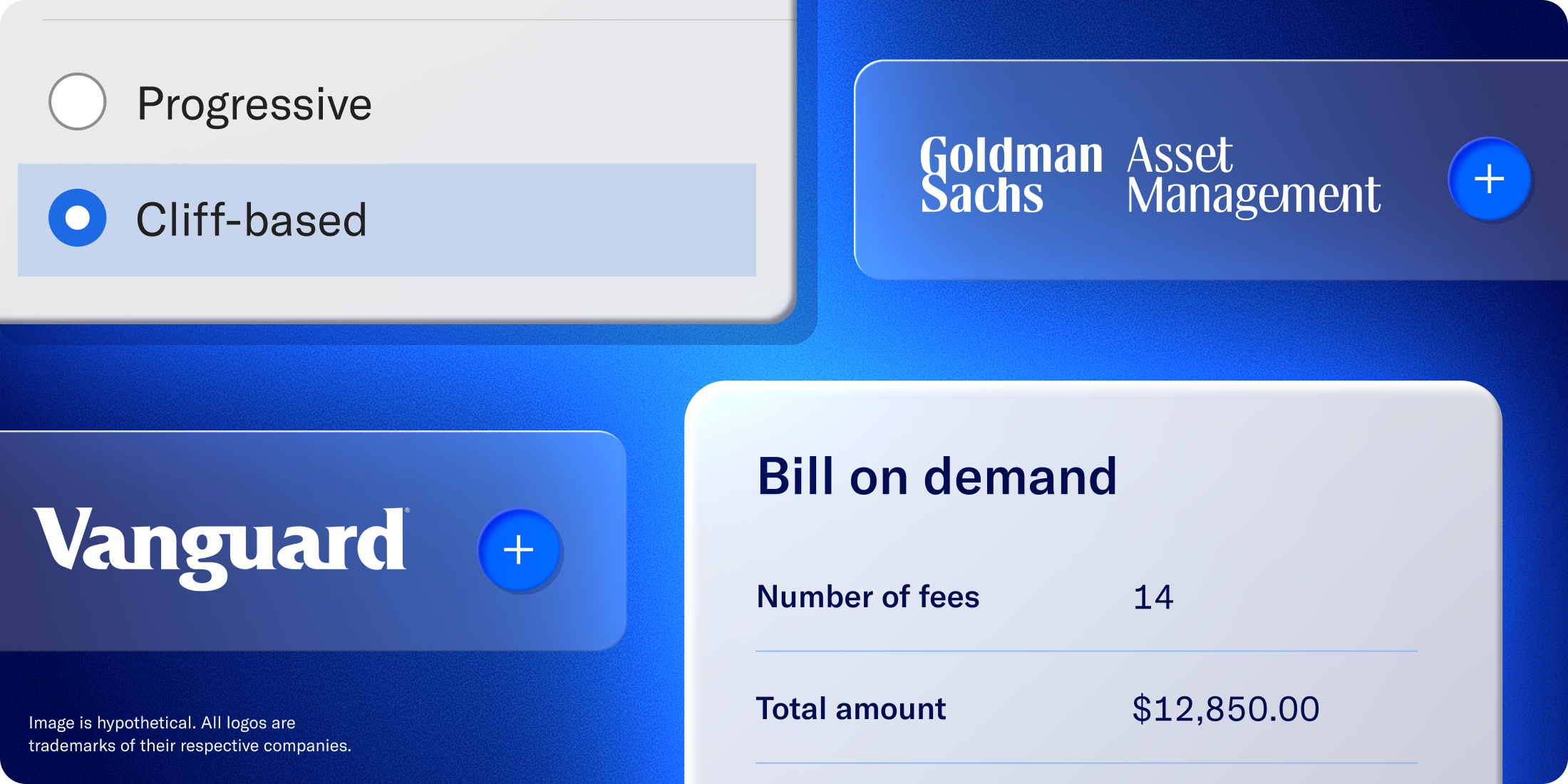
What’s new from Betterment Advisor Solutions Apr 1, 2026 6:53:00 PM Explore the latest updates designed to help you grow client relationships, streamline billing, and deliver more value at scale. Our latest updates give advisors more ways to grow client relationships at scale, from our expanded model marketplace and smarter billing to new retirement and lending solutions, while driving tax‑efficient outcomes across households. Table of contents Portfolio management Get started with new portfolios from Betterment and other leading asset managers Exit any position effortlessly Help clients earn additional income through securities lending Billing Charge for your added expertise and bill any amount at any time Apply a single tier rate to a client's total AUM Rate mortgage offer Help your clients borrow smarter New integrations Integrate with Nitrogen, Blueleaf and FinDash Retirement Request a new plan proposal within your dashboard Top content How Mach 1 accelerated its growth with a segmentation strategy Explore more options in our model marketplace Give clients more ways to invest with Betterment’s new third‑party model portfolios from industry‑leading asset managers like Goldman Sachs Asset Management, Vanguard, State Street, among others. With the expanded model marketplace, you can: Offer more choice without more operational lift by mapping client preferences to curated, expert‑built models instead of one‑off portfolios. Keep implementation consistent across households, aligning models to your firm’s views on risk, diversification, and brand exposure. Stay tax aware at scale with automated rebalancing, drift controls, and tax-loss harvesting on eligible models. Use these models with our tax-smart technology to drive better outcomes for your clients. Check out the model marketplace Exit any position with ease Now you can sell what you need, when you need it, without disrupting your client’s broader strategy. With increased manual trading capabilities, you can view a client’s holdings by goal or account and sell stocks, ETFs, or mutual funds directly on the platform—in dollars or shares. Proceeds are automatically reinvested into the target portfolio, which helps to keep goals on track while you adjust what no longer fits. Coming soon: Help your clients earn potential income with securities lending Betterment clients will soon be eligible to earn additional income on authorized stocks and ETFs they already hold through our new Fully Paid Securities Lending (FPSL) Program. Through the program, your clients lend fully paid stocks and ETFs from their Betterment account to institutional borrowers—typically for speculation, risk-management, or price discovery. Your clients will share the income generated from these loans, while maintaining economic ownership of their investments including the ability to sell their shares at any time. Learn more Bill in all the ways you need With on‑demand billing, you can charge for planning projects, tax strategy consults, and other one‑off services outside your standard fee schedule—any amount, any time— via file upload directly through your Betterment dashboard. That means a cleaner client experience, and more billing consolidated in one place. With cliff‑based tiered billing, you can build custom breakpoints, set rates, and let the platform handle the rest—automatically repricing fees as household AUM crosses each tier, with no manual intervention required. And, you can reward larger relationships with cleaner discounts or grow smaller accounts more intentionally, all while keeping billing logic centralized in Betterment. Explore billing options Help clients unlock discounted mortgage rates Betterment is partnering with Rate to offer eligible clients access to discounted mortgage pricing. Qualifying clients can get up to 0.75% off their mortgage rate* and $500 off closing costs when they purchase a new home—or have the lender fee waived on a refinance. It’s another way Betterment advisors can support their clients’ major life goals, like homeownership, while deepening planning conversations around cash flow, borrowing costs, and long‑term wealth. Explore the offer today See our new integrations in action Experience more connected workflows across your tech stack with new integrations: Nitrogen: Automatically sync your clients’ Betterment portfolio data into Nitrogen so you can align risk and investment strategy without manual uploads or tab‑hopping. Blueleaf: Keep your clients’ Betterment positions, balances, and transactions current in Blueleaf, giving you clearer reporting and a more complete view of each client’s household. FinDash: Feed your clients’ Betterment data into FinDash’s AI‑powered operating system so your team can turn planning insights into automated, proactive service at scale. View all integrations Request new plan proposals from your dashboard You can now request a new plan proposal directly from the Betterment platform, without having to fill out separate forms. Just click Request for Proposal in your account, enter the plan and client details, and submit. With the new streamlined process, you can move faster on new opportunities. Explore more How Mach 1 scaled small accounts without stretching its team See how Mach 1 Financial Group used Betterment Advisor Solutions to build a segmented service model for smaller and emerging clients, freeing up significant back‑office time while preserving a high‑touch experience for larger relationships. By moving select households onto a digital, automated investing experience powered by Betterment, Mach 1 created a scalable way to serve more clients of all sizes, improve operational efficiency, and keep growth from overwhelming its service team. Read the full case study Log in to explore what’s new, or reach out to your relationship manager if you’d like to take a closer look at any of these features. If you’d like to take a look around with someone from our team, book a demo.