onboarding
Explore your
new advisor dashboard
 Total balance
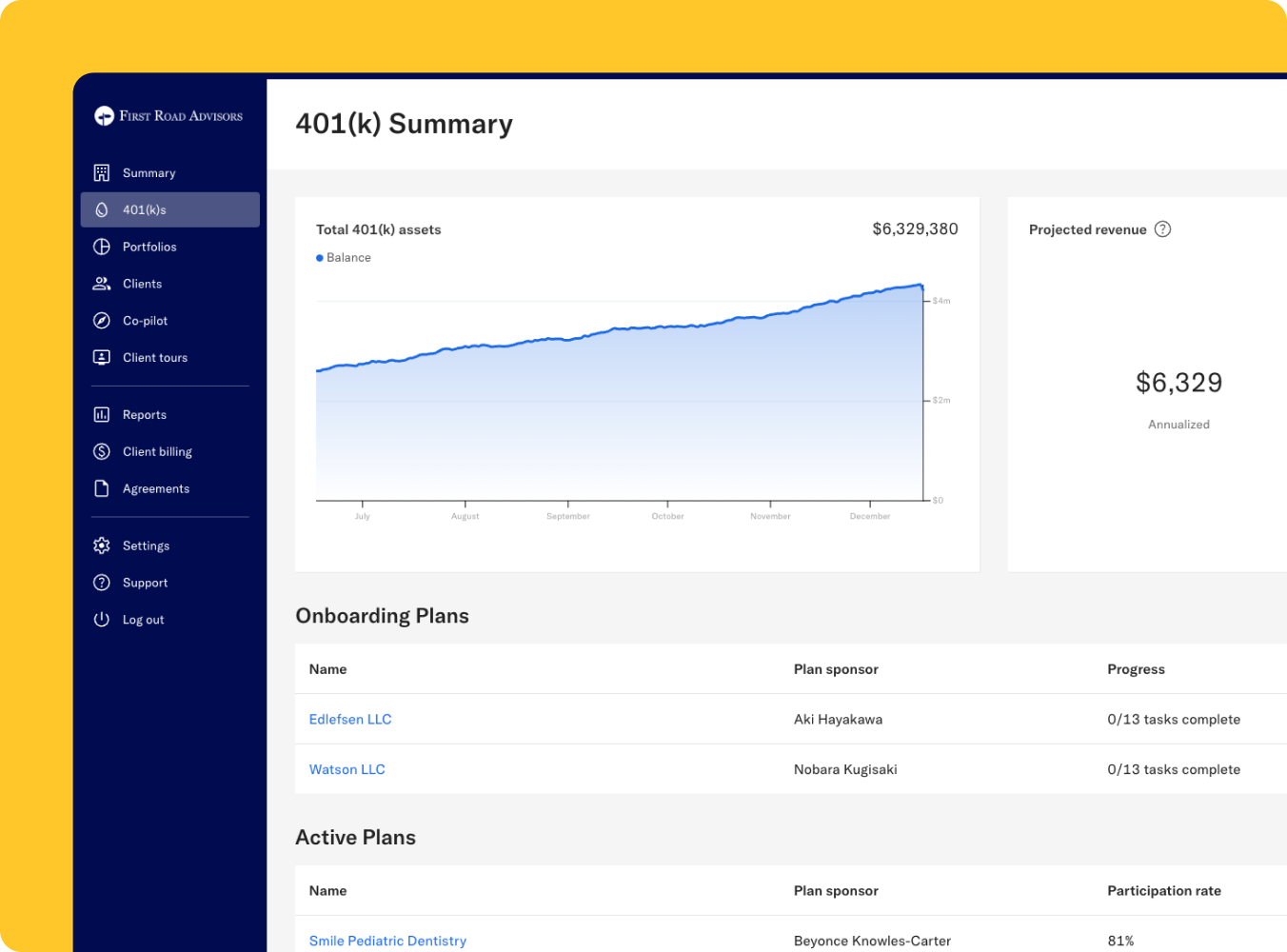
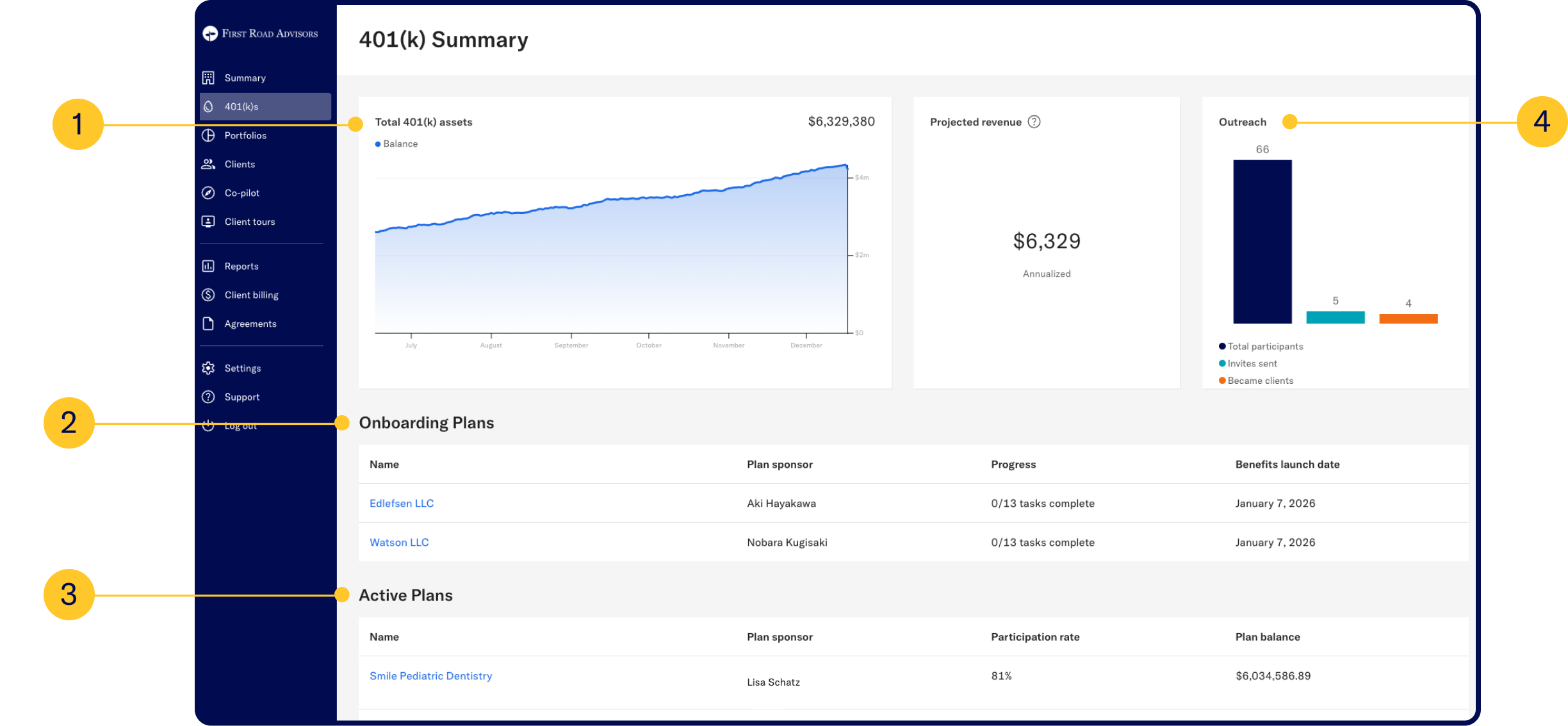
Monitor your plans’ total assets. You’ll also see a graph that tracks the total invested balance over time.
 Onboarding tracking
Track your clients’ onboarding progress. Get a detailed breakdown of tasks and deadlines to ensure a smooth process.
 Funded plans
View all of the plans you are currently managing, with plan balance, participation rate, and plan manager information.
 Client outreach
If you also manage wealth clients through Betterment, you can see invitations you have sent to clients for wealth management services, as well.
Plan overview
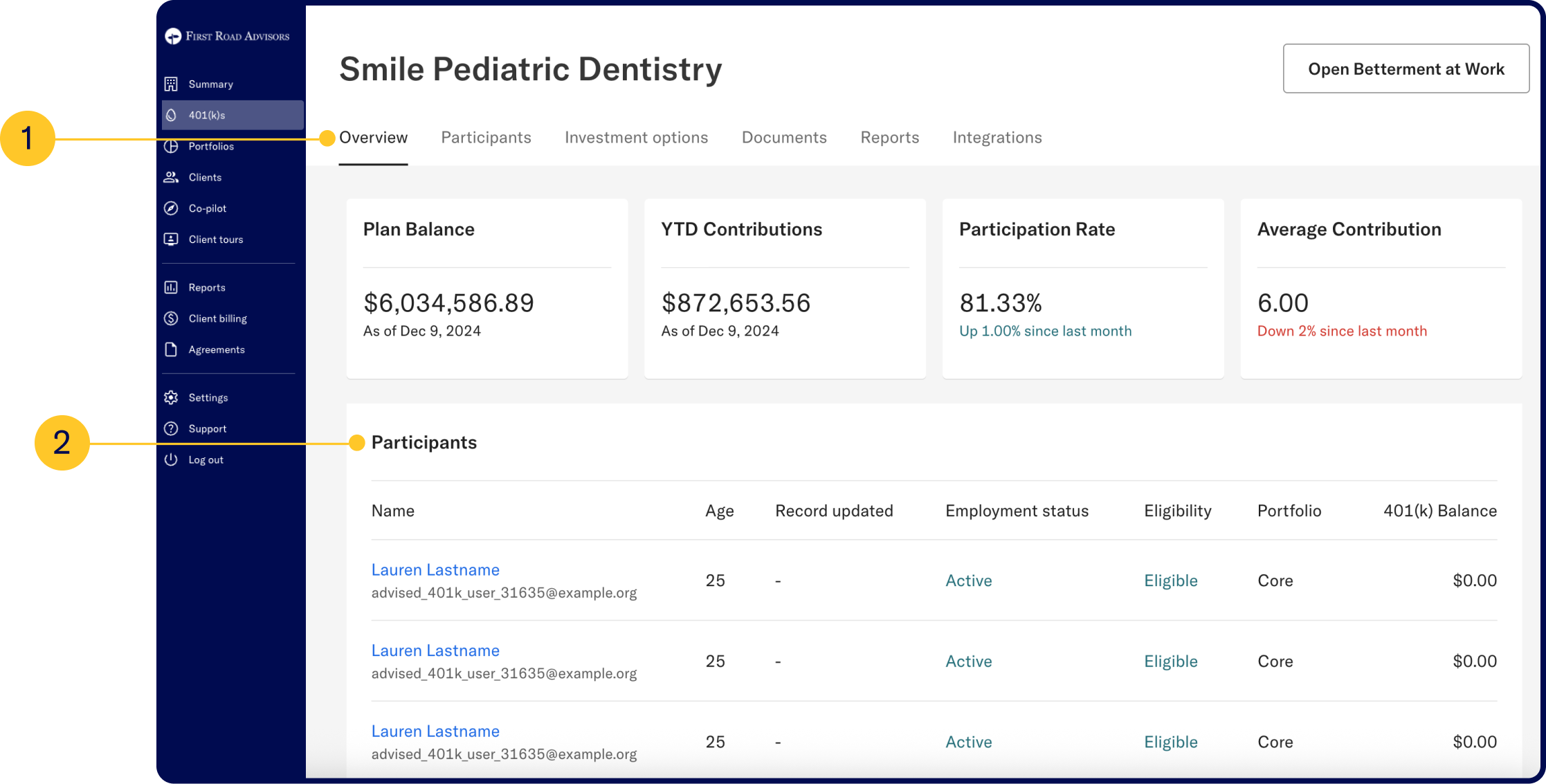
See a snapshot of your plan’s performance, from total assets and contributions to participation trends.
Participants
See who’s in the plan, check eligibility, and monitor participation.
Plan demographics
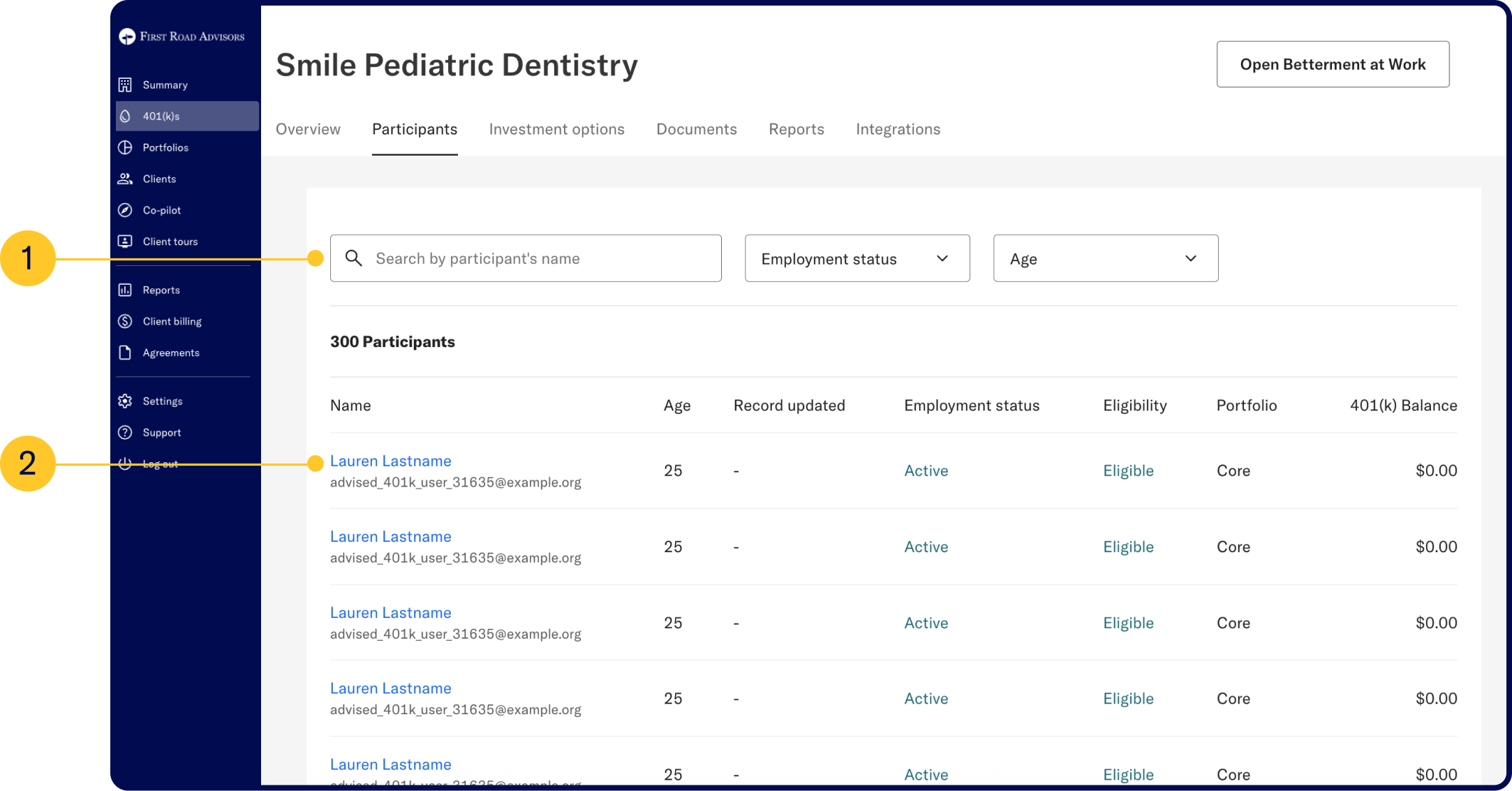
Filter participants by current employment status and age.
Participant-level data
Click into a participant for more details, including current holdings, contribution sources, vesting progress, beneficiaries, and eligibility information.
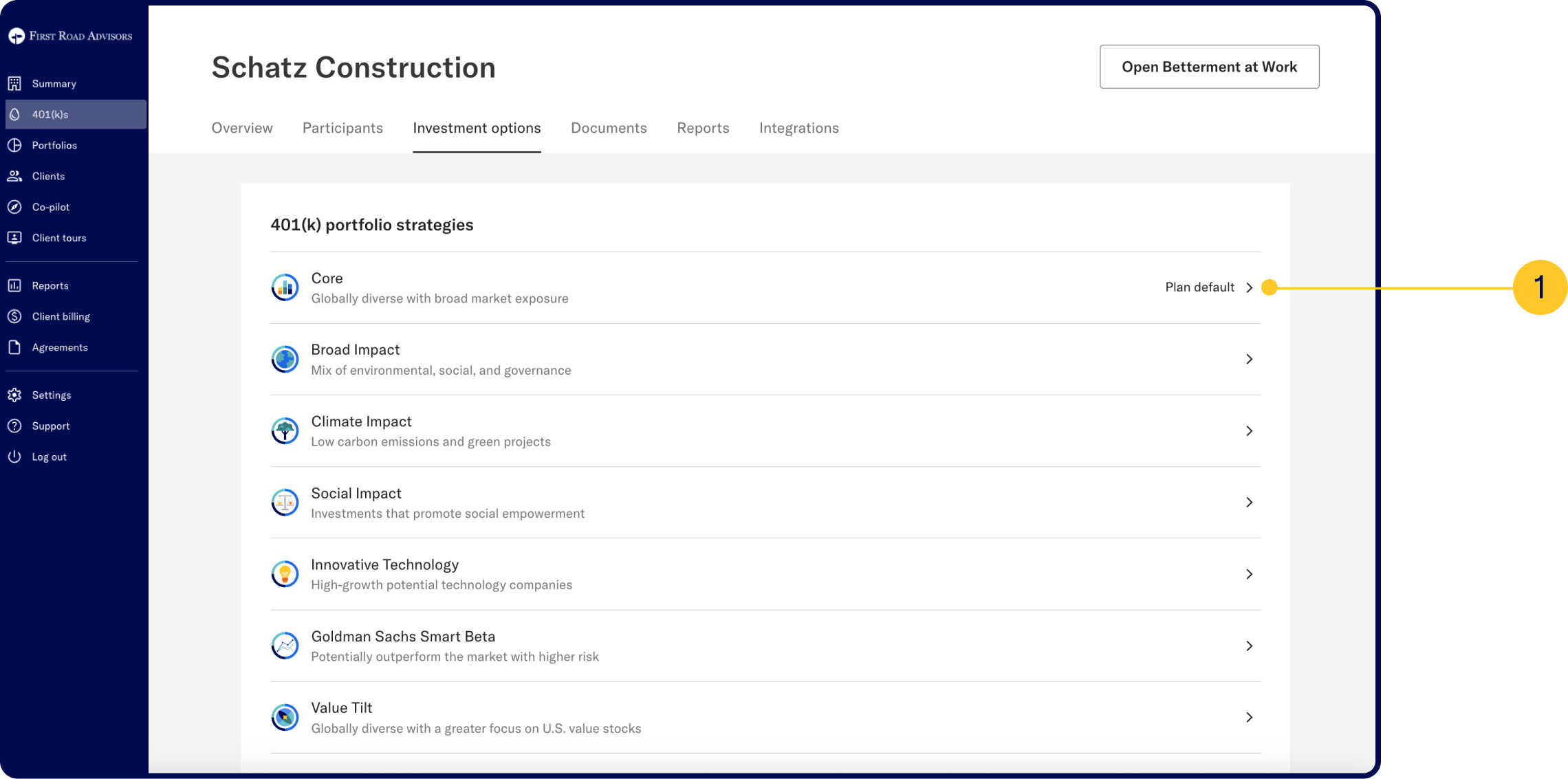
Betterment holds the 3(38) role:
Explore all available model portfolio strategies, with Core as the default QDIA. Drill down into a portfolio to see performance history, projections, and holdings based on sample allocations or risk profiles.
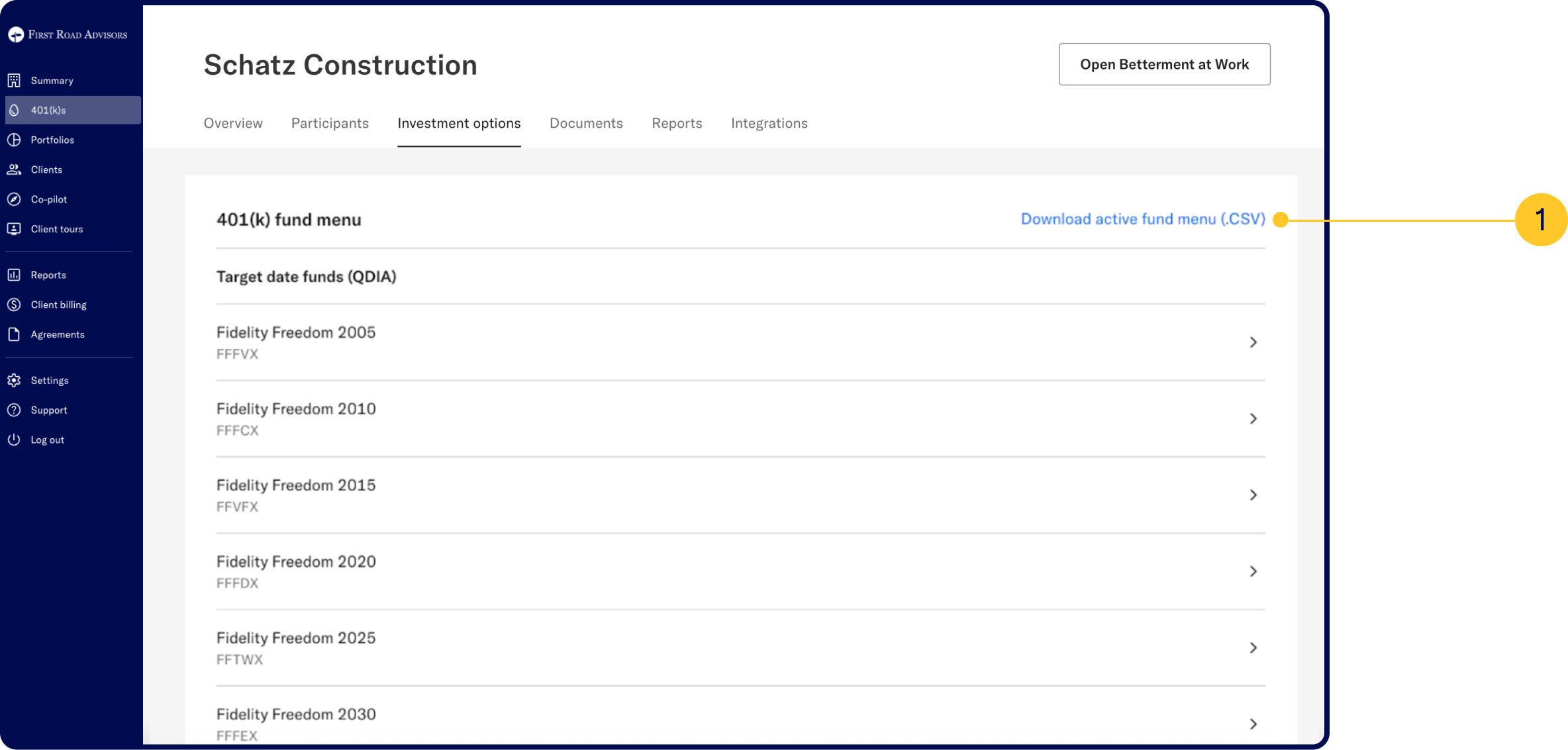
3(38) advisors:
View the plan’s active fund menu, explore fund details—such as expense ratios, fund and benchmark performance—and access prospectuses. You can also download the full menu and data as a CSV file for easy reference.
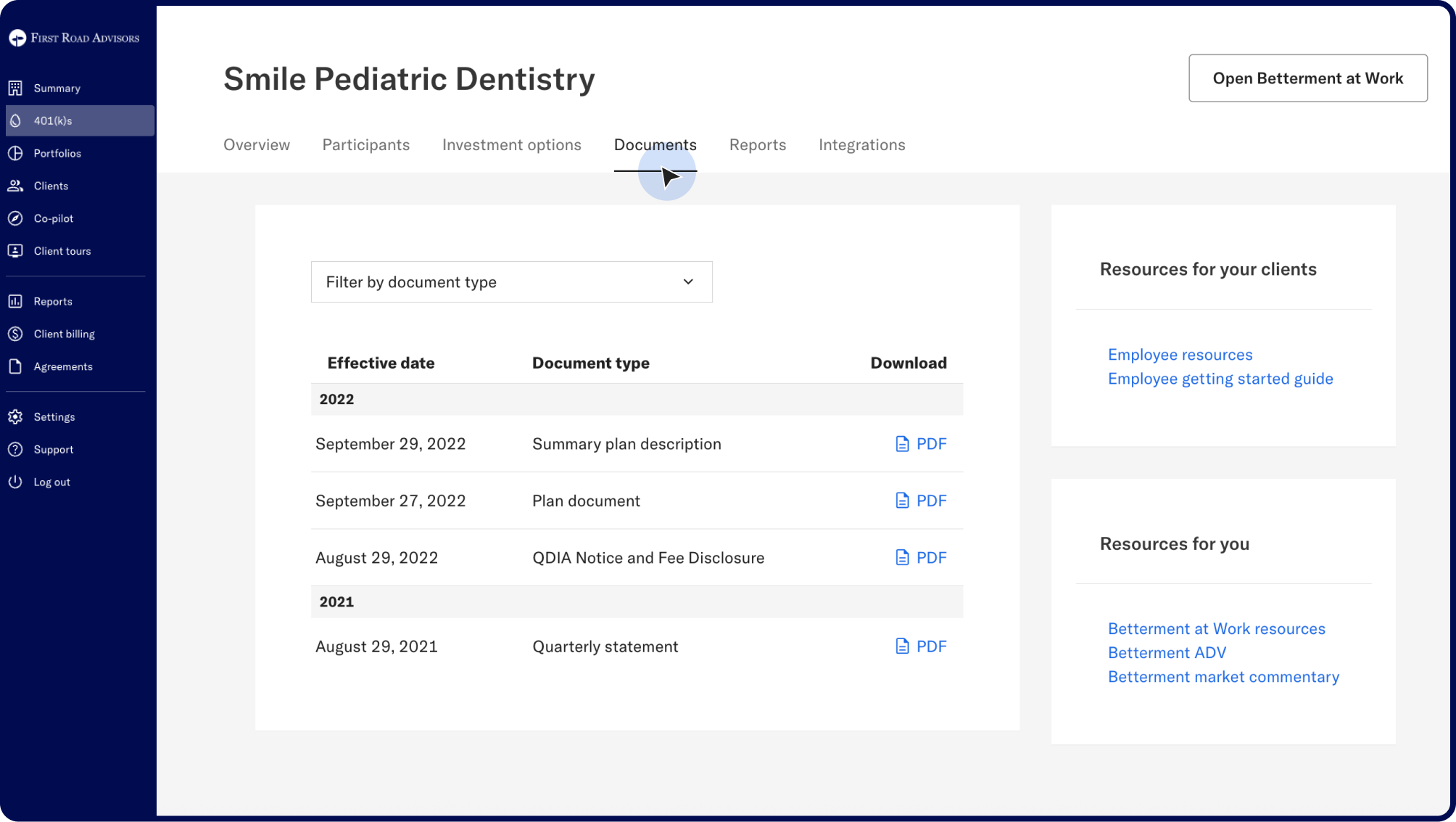
Available documents include:
 Summary plan description: Outlines the plan’s features, eligibility, and participant rights.
QDIA notice and fee disclosure: Provides important investment and fee information to participants.
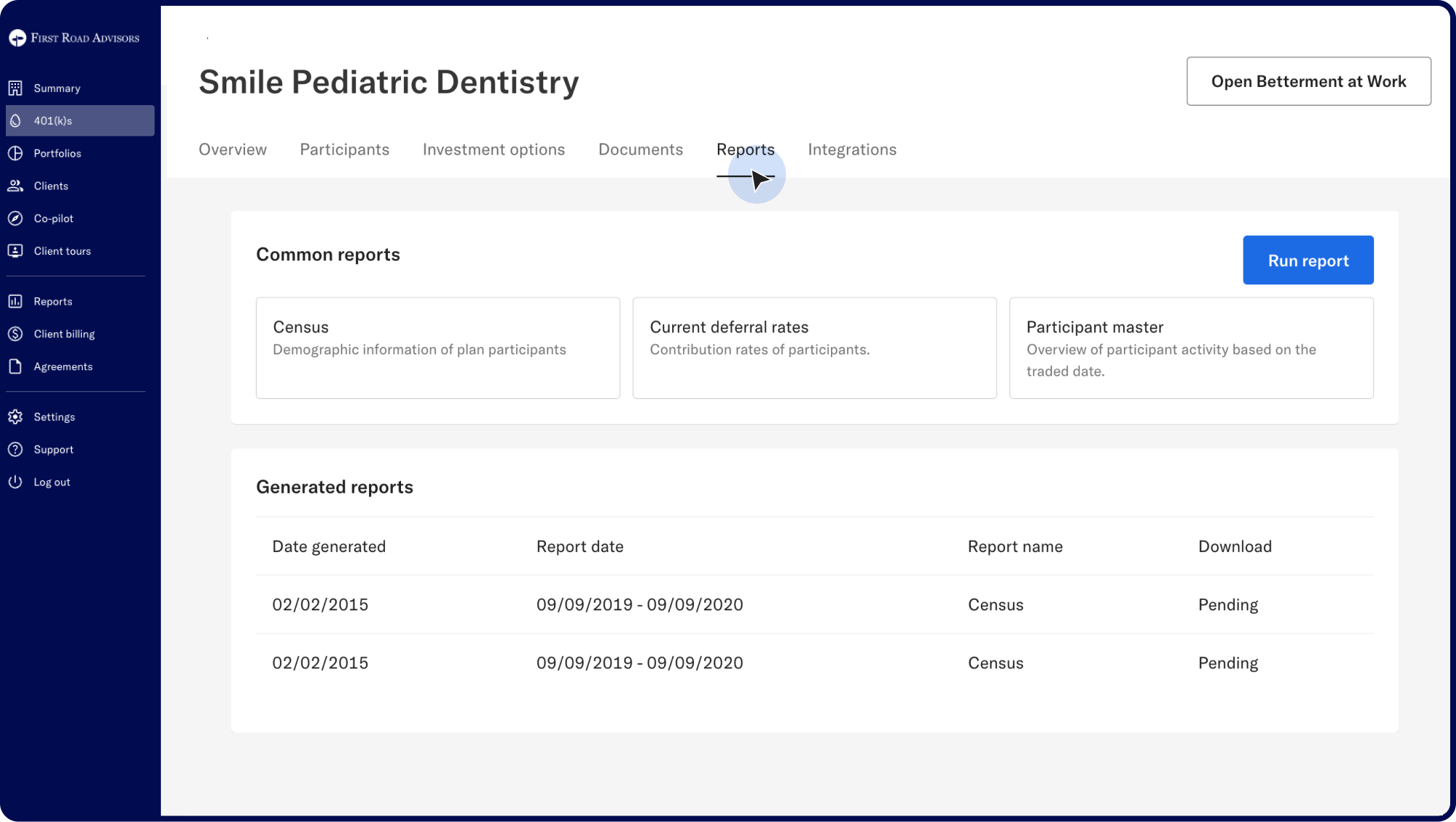
Types of reports available to run:
Participant & payroll reports:
- Census: Demographic and employment information of participants.
- Current Deferral Rates: Contribution rates of participants.
- Deferral History: Changes in deferral rates over time.
- Participant Activity: Balances by contribution source for a selected period.
- Participant Contributions (Individual): Log of each individual contribution.
- Participant Contributions (Total): Total payroll contributions by source.
- Participant Vesting: Vesting details by participant and contribution source.
Plan & investment reports:
- Plan Activity: Overview of plan activity by contribution source.
- Schedule of Assets: Overview of assets by ticker.
- Plan Contributions: Contributions into the plan by effective and trade dates.
- Plan Level Investment Activity: Total financial activity by fund ticker.
- Participant Level Investment Activity: Participant trading activity by ticker.
Funds & Accounts reports:
- Cash Fund: Activity in and out of the plan’s cash account.
- Forfeiture Fund: Activity in and out of the forfeiture account.
- Suspense Fund: Activity in and out of the suspense account.
- Unallocated Funds: Record of forfeiture, suspense, and cash fund totals.
Fees & Loans:
- Fee Detail: Vesting and fee data by participant and contribution source.
- Fee Summary: Total participant fees by type.
- Loans: Active participant loans.
- Loan Payments: Payments, payoffs, and conversions related to loans.
Administrative reports:
- Corrections: Log of corrective actions initiated.
- Distributions: Distributions processed for participants.
Get support you can count on
Contact your CSM today. Contact details are available in the Support tab of your Advisor Dashboard.